Features

Enrollment

From first trial class to enrolled family

No inquiry goes quiet, and no one is typed in twice.
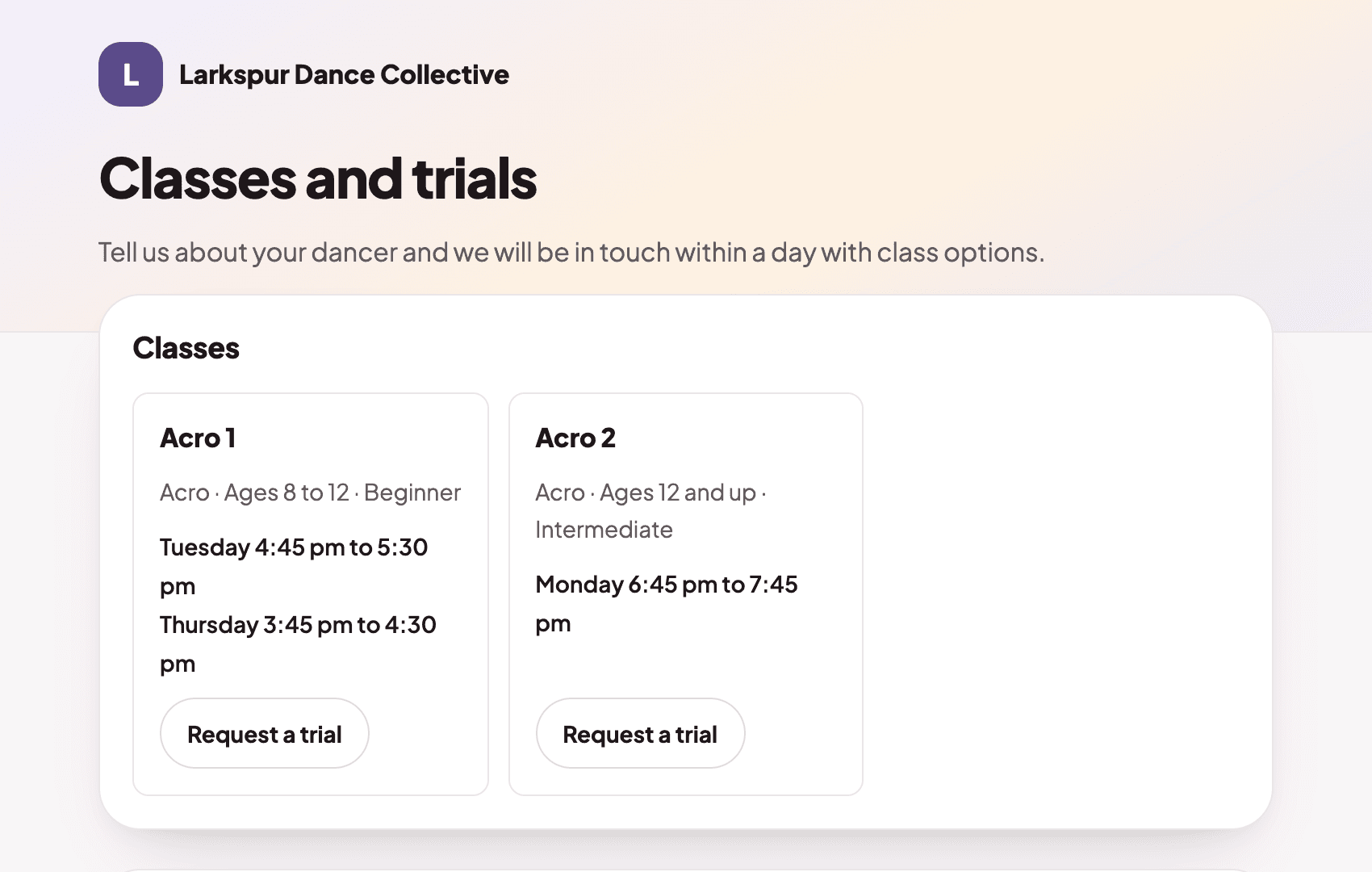
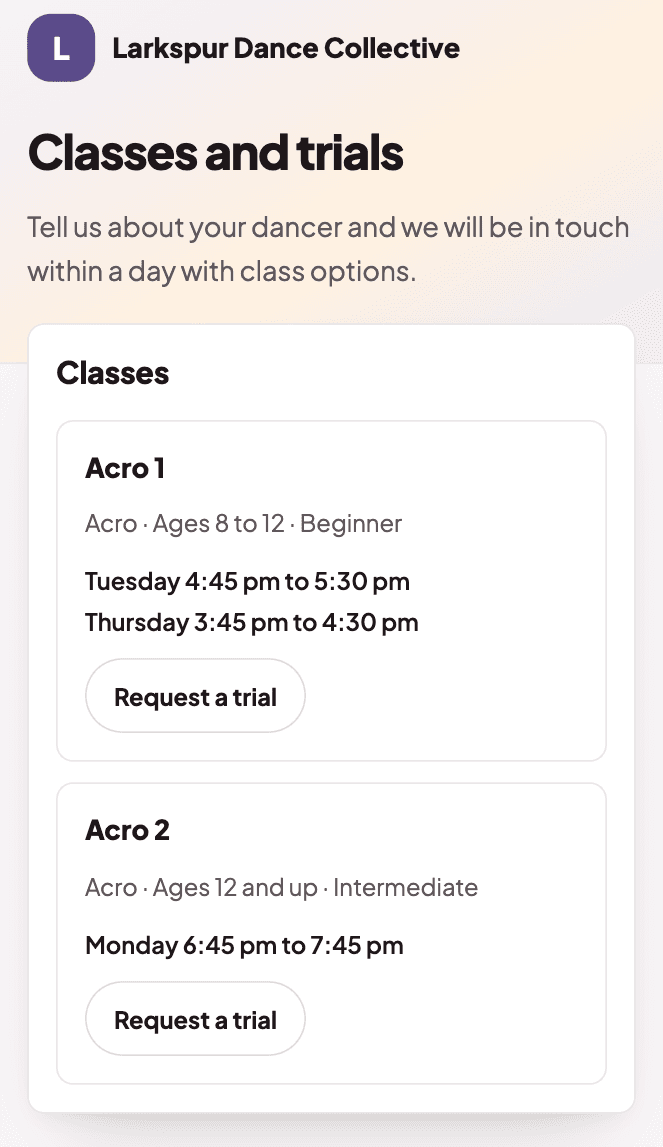
  1. The inquiry page a family sees, with the studio's classes and a Request a trial buttonThe inquiry page a family sees, with the studio's classes and a Request a trial button

    A family asks for a trial class

    Share one inquiry page. Every request lands in one list, so no family falls through the cracks.
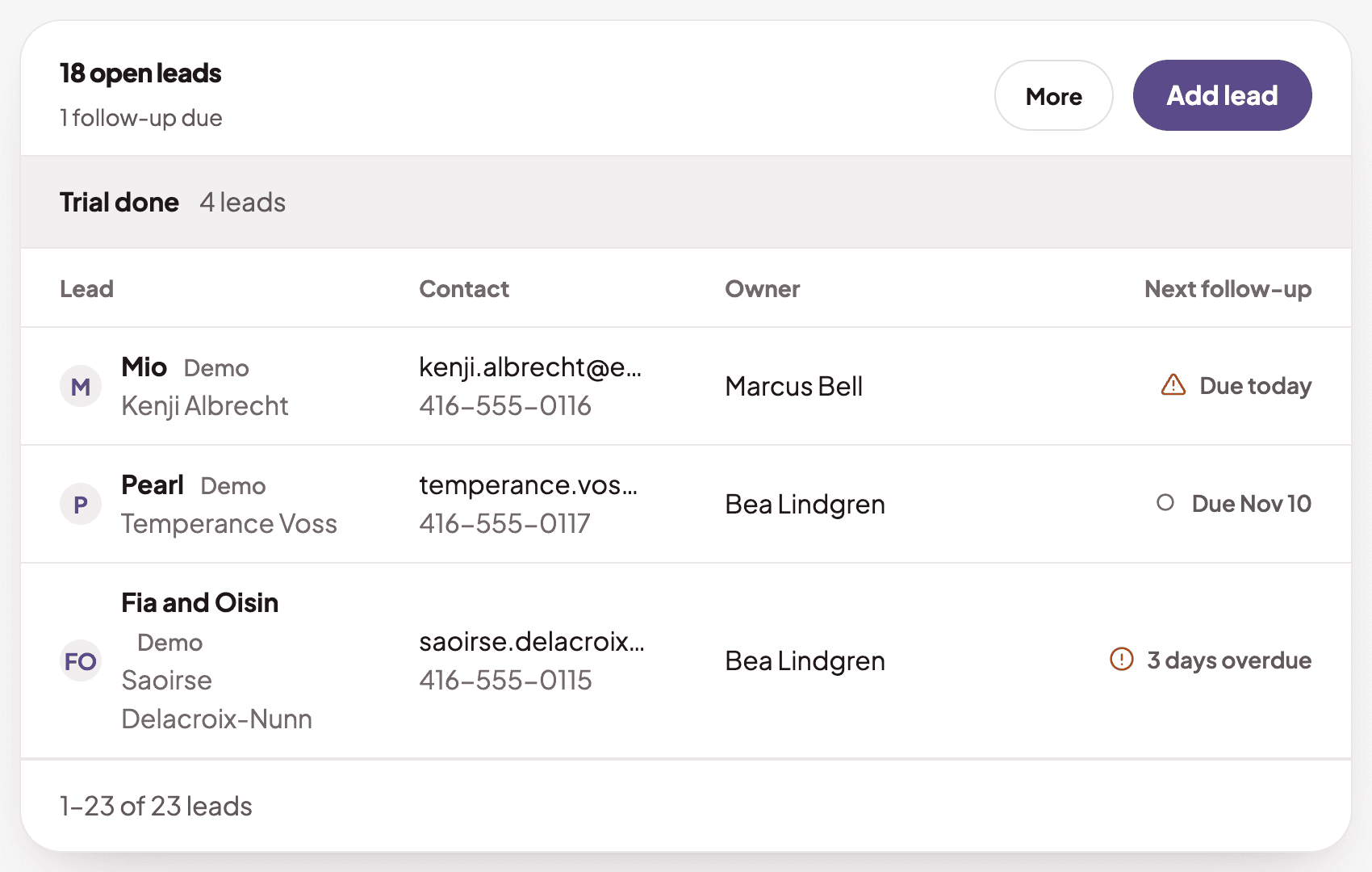
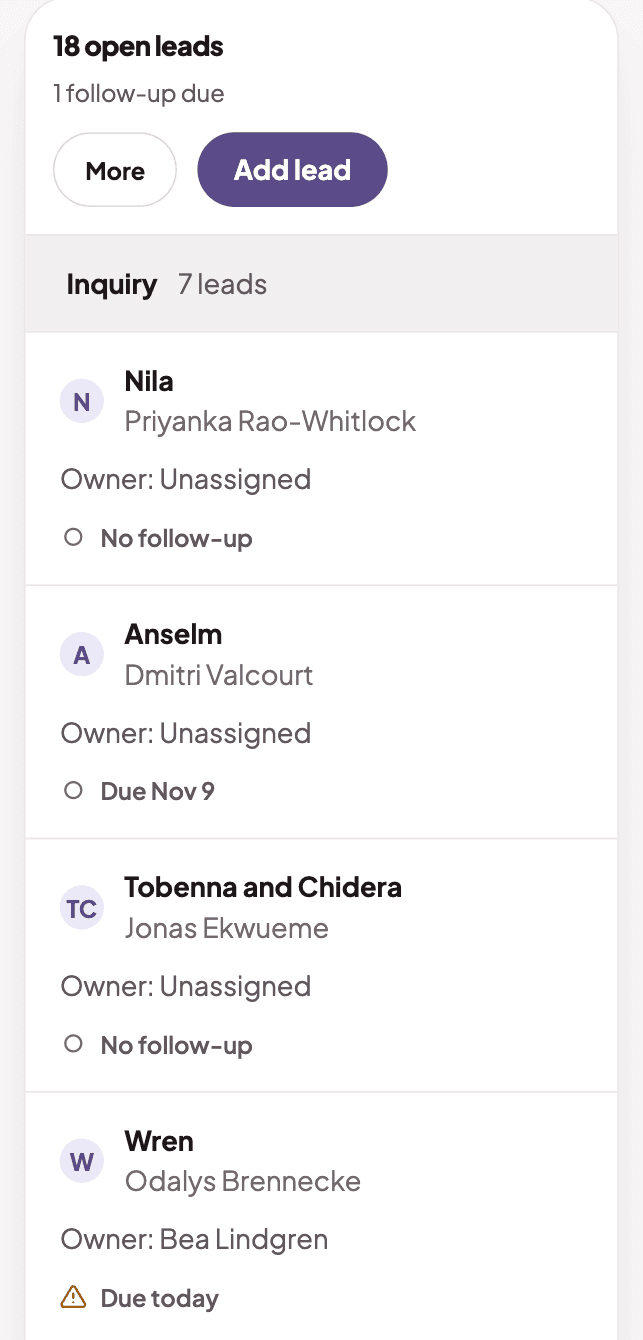
  2. The leads list, with each family's owner and when the next follow-up is dueThe leads list, with each family's owner and when the next follow-up is due

    Follow up before they forget

    See every trial family, and who is due a follow-up today.
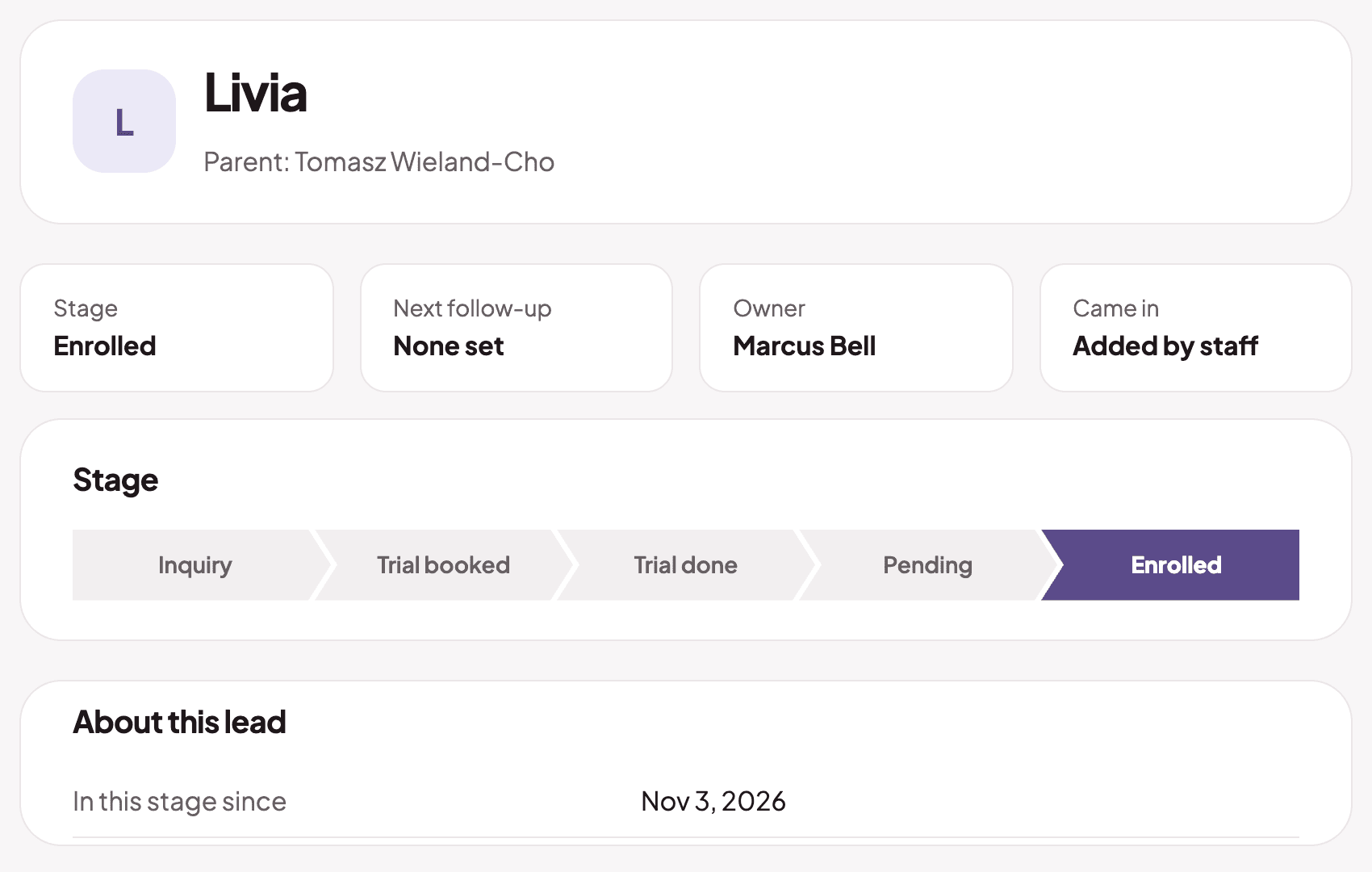
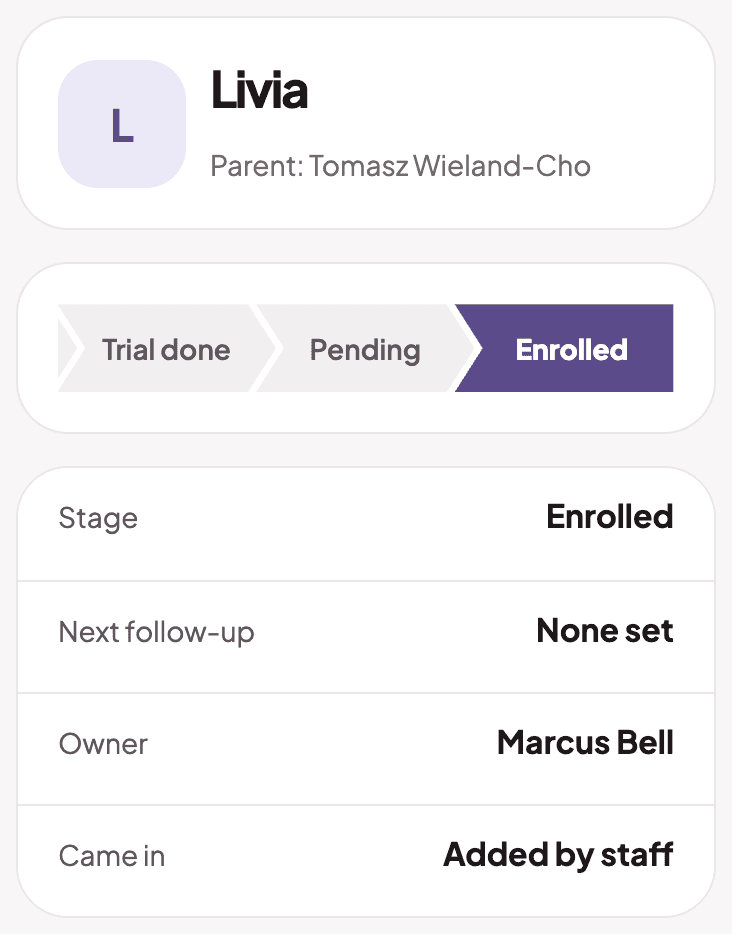
  3. An enrolled lead, with the stage shown as EnrolledAn enrolled lead, with the stage shown as Enrolled

    Enroll, then invite the parent

    Enroll from the inquiry, and the parent gets a registration invite.

The inquiry page a family sees, with the studio's classes and a Request a trial buttonThe inquiry page a family sees, with the studio's classes and a Request a trial button
The leads list, with each family's owner and when the next follow-up is dueThe leads list, with each family's owner and when the next follow-up is due
An enrolled lead, with the stage shown as EnrolledAn enrolled lead, with the stage shown as Enrolled

Classes

One schedule for every class

Classes, rooms and teachers on one calendar.
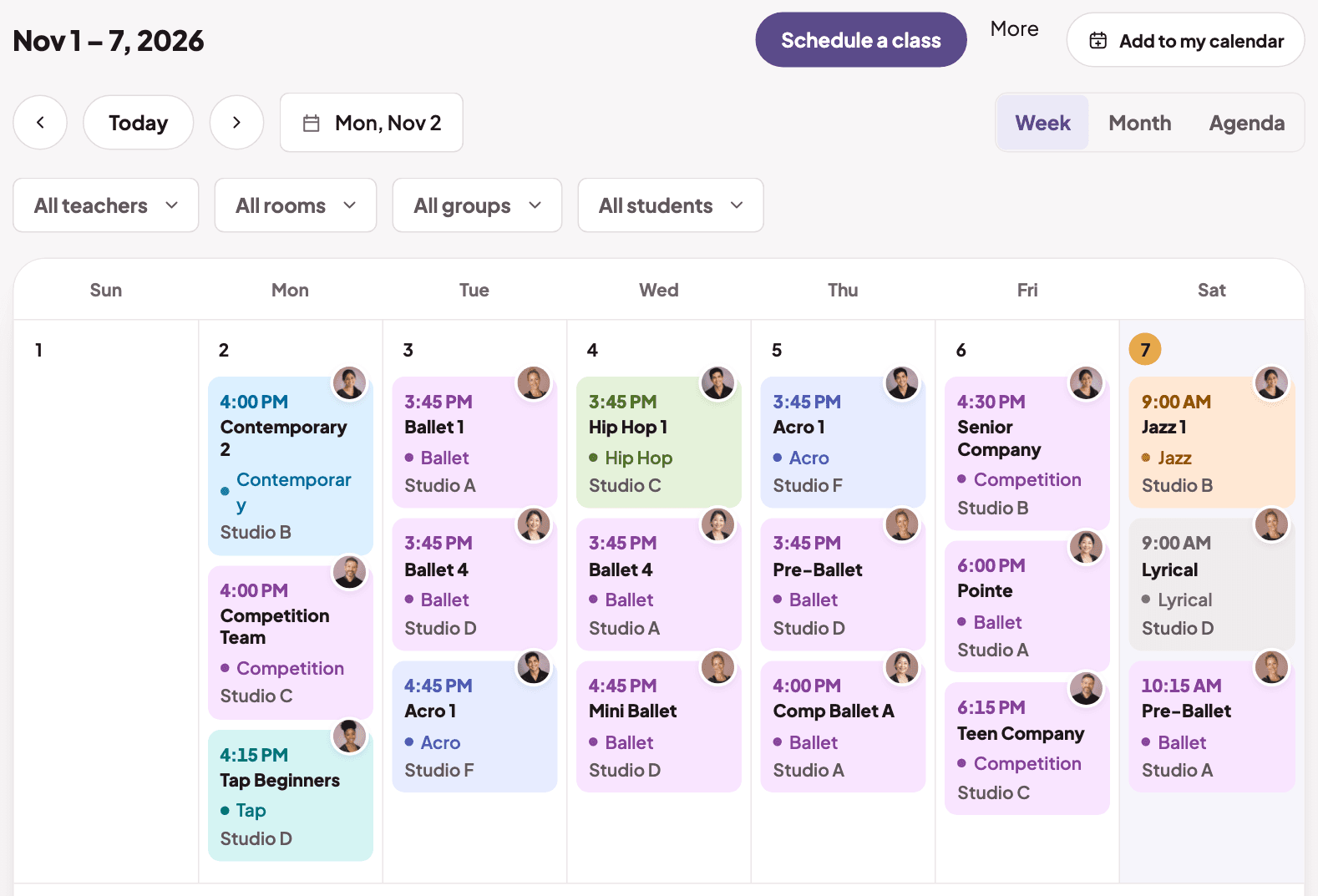
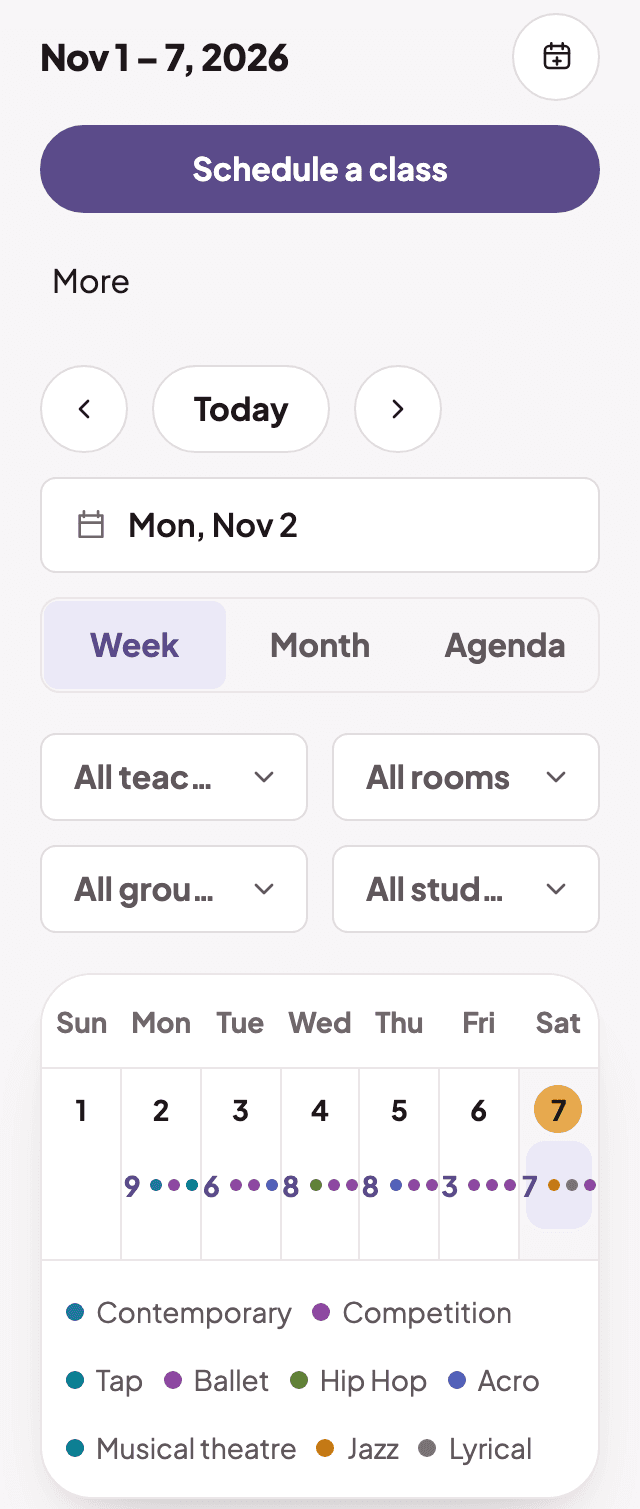
  1. The week's classes on the calendarThe week's classes on the calendar

    Everyone sees the same schedule

    Weekly classes and one-off sessions, filtered by teacher, room or group.
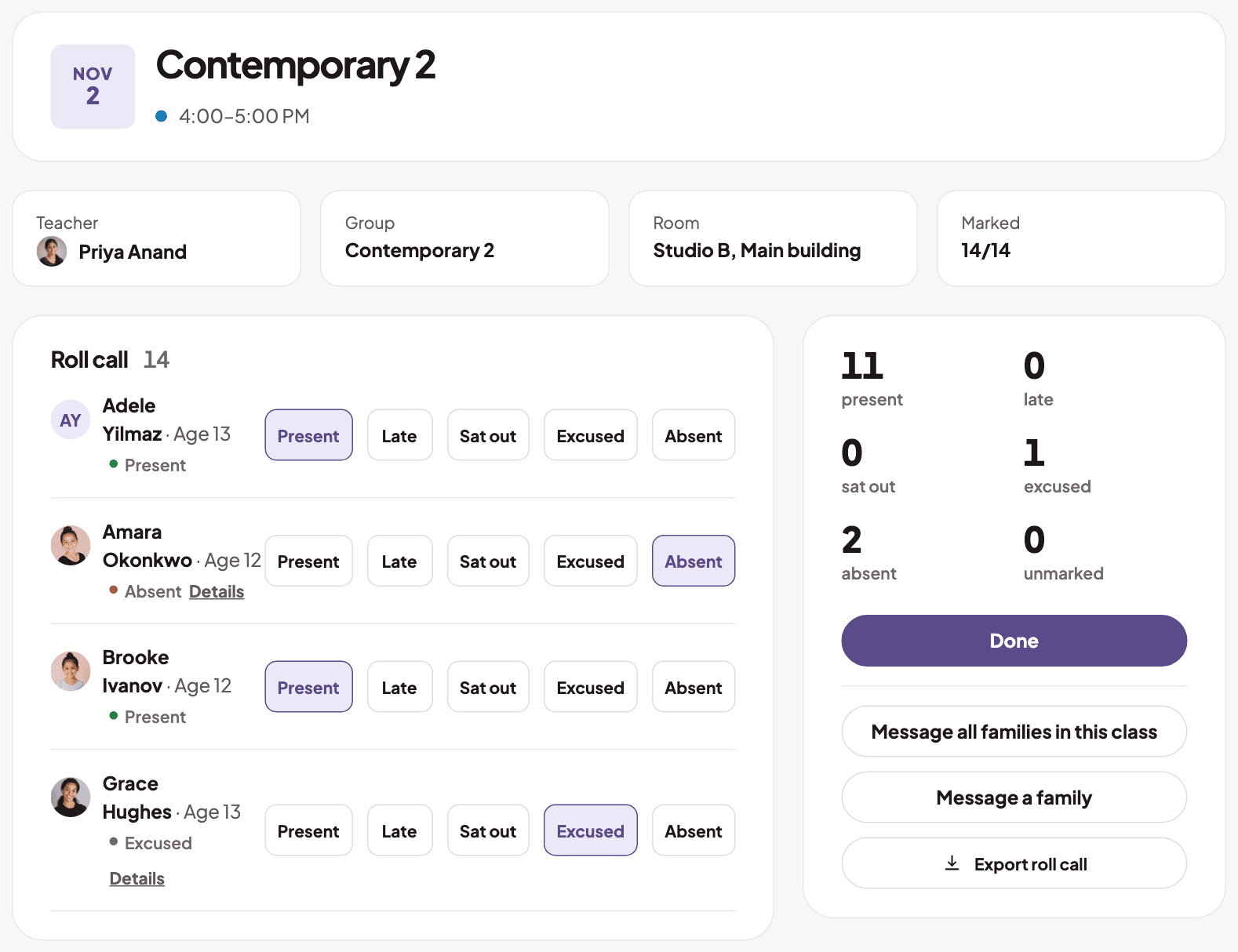
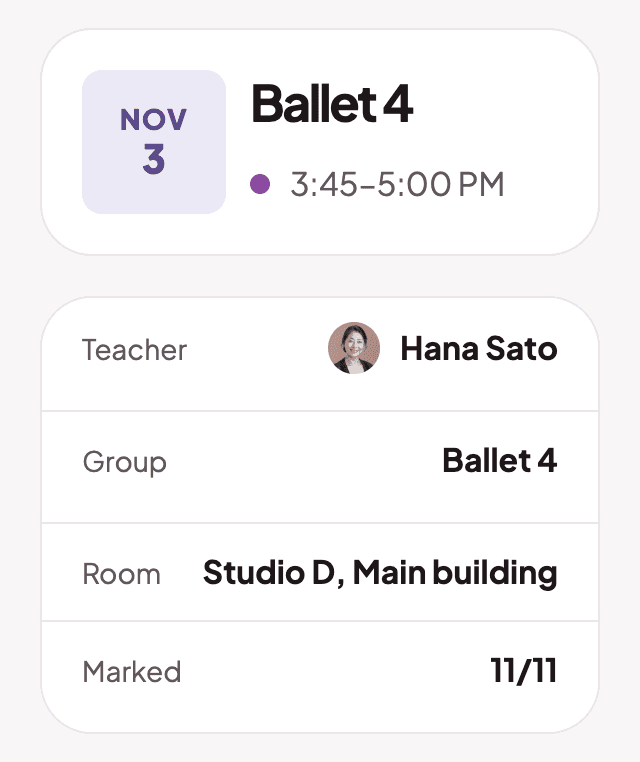
  2. A class page with the teacher, room and how many dancers are markedA class page with the teacher, room and how many dancers are marked

    Take roll call in a tap

    Mark each dancer present, late, sat out, excused or absent.
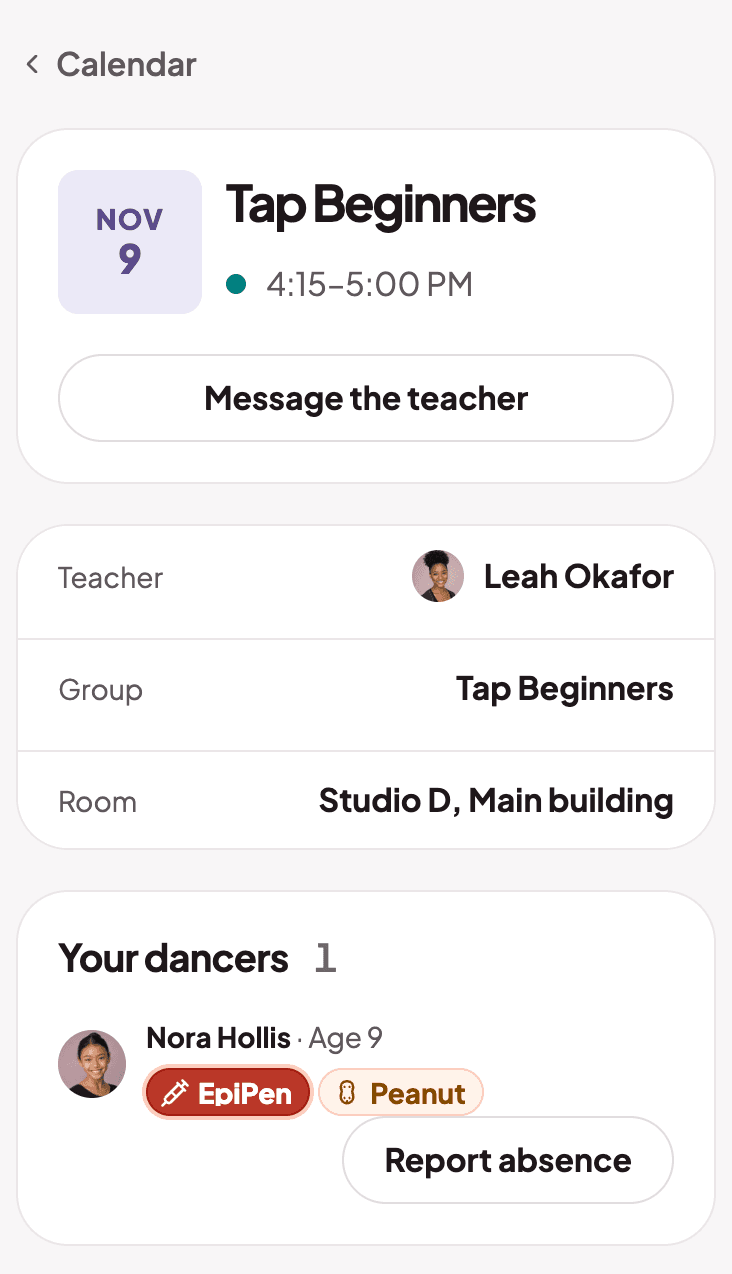
  3. A parent's class page with a Report absence button

    Families report absences ahead

    Parents tap Report absence, and the teacher sees it on the roll call.

The week's classes on the calendarThe week's classes on the calendar
A class page with the teacher, room and how many dancers are markedA class page with the teacher, room and how many dancers are marked
A parent's class page with a Report absence button

Students

Every student and family, on file

Records, care details and one home for parents.
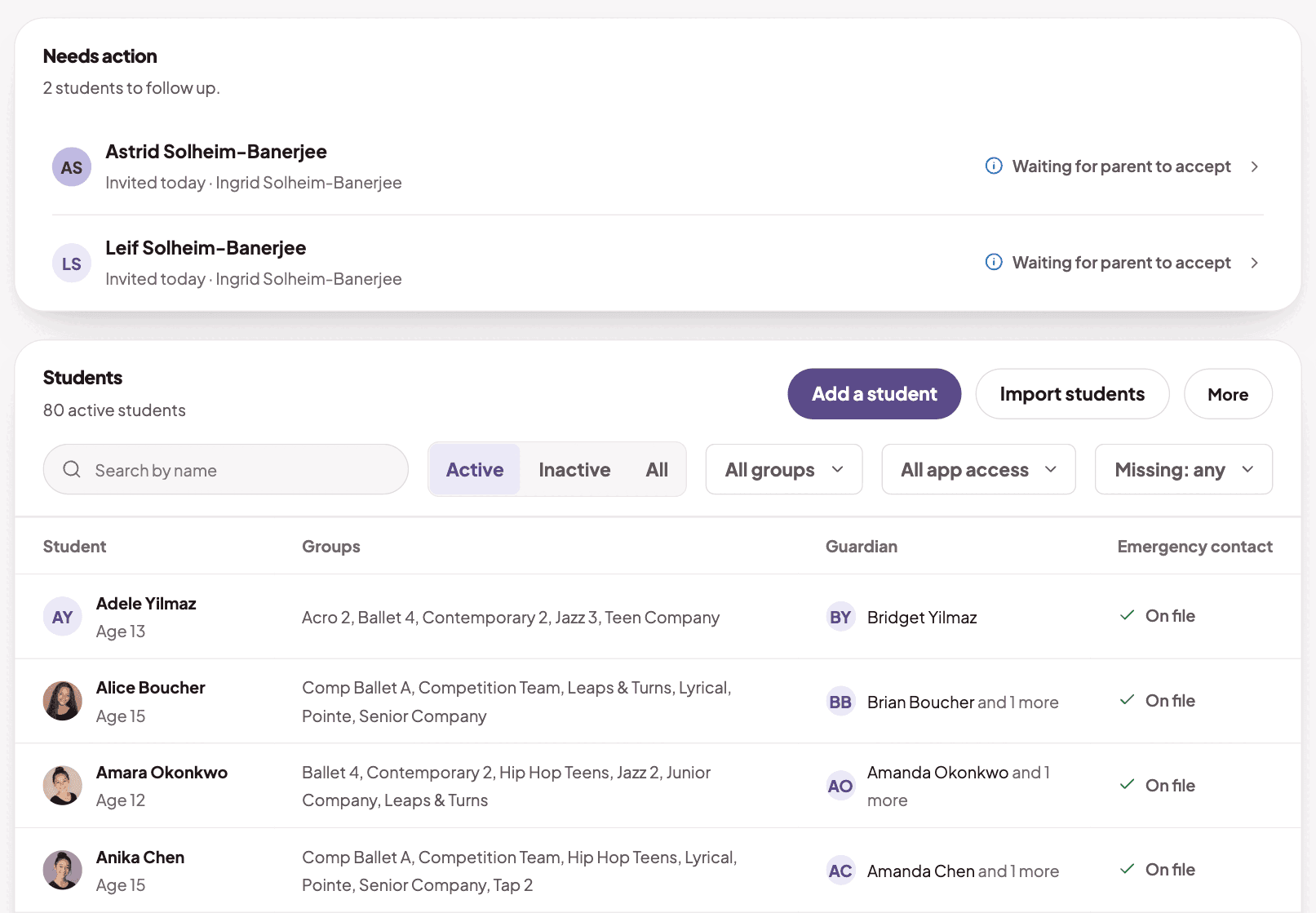
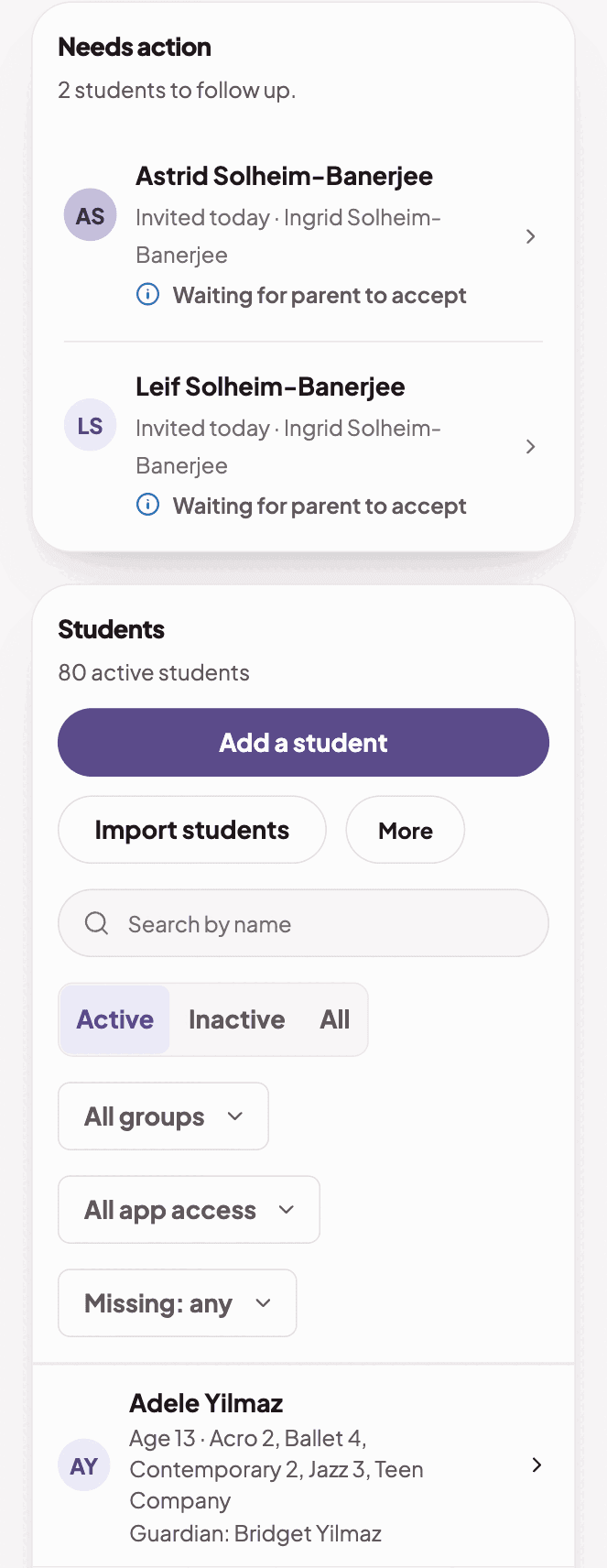
  1. The students page, with the students who need a follow-upThe students page, with the students who need a follow-up

    Everyone on one list

    Groups, guardians and emergency contacts. Import your list from a spreadsheet.
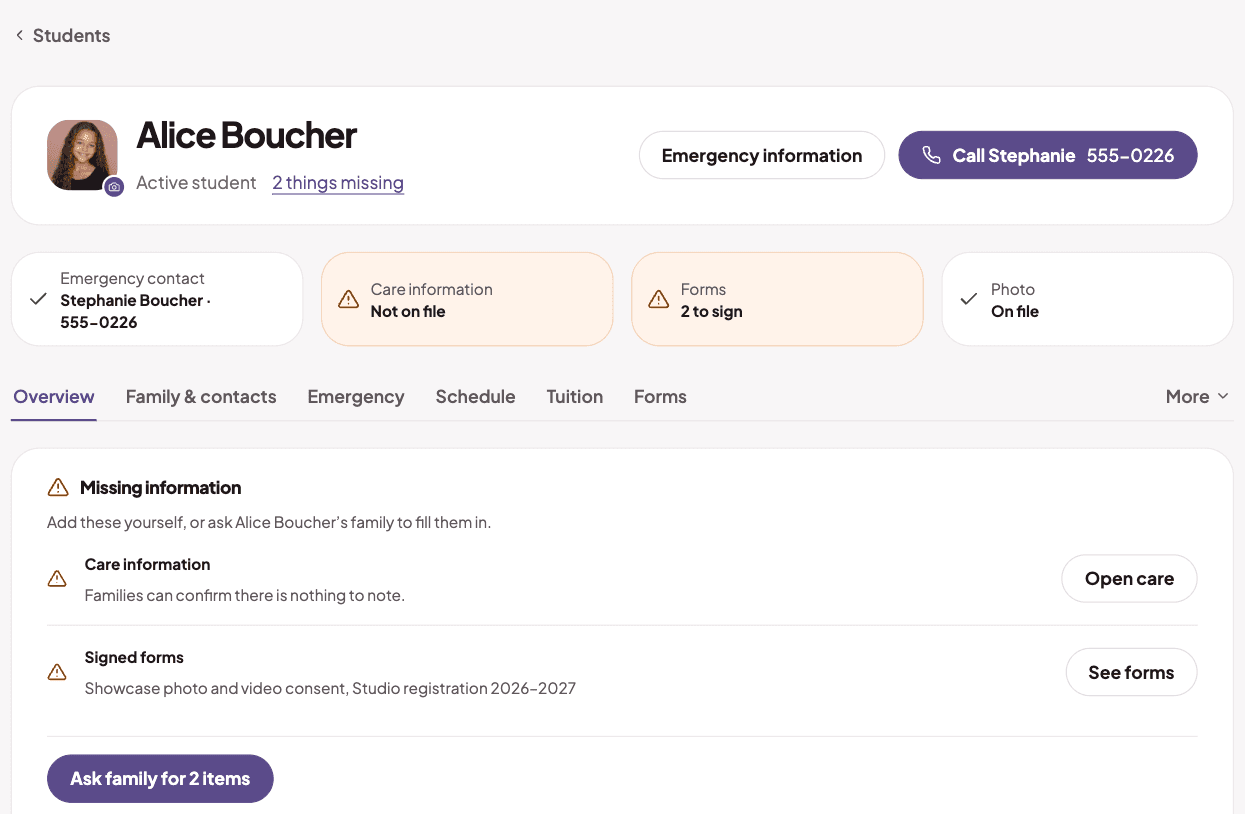
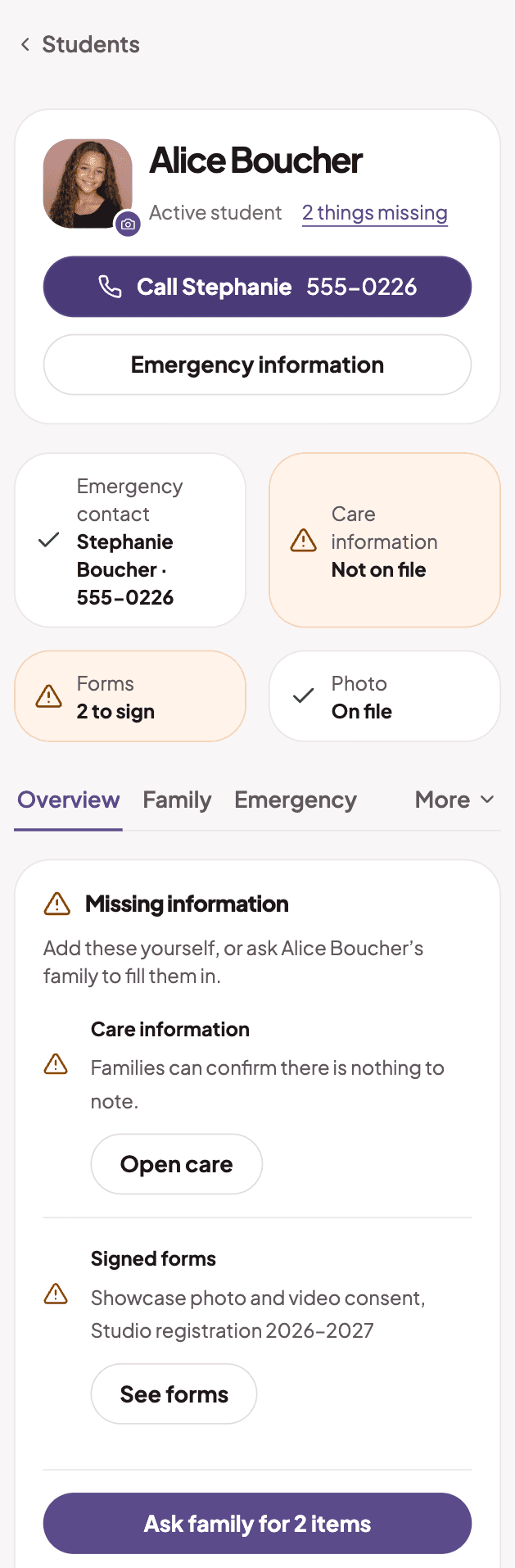
  2. A student profile with an emergency contact and care informationA student profile with an emergency contact and care information

    What you need in a crisis

    Emergency contacts, care details and forms in one place, with a tap to call.
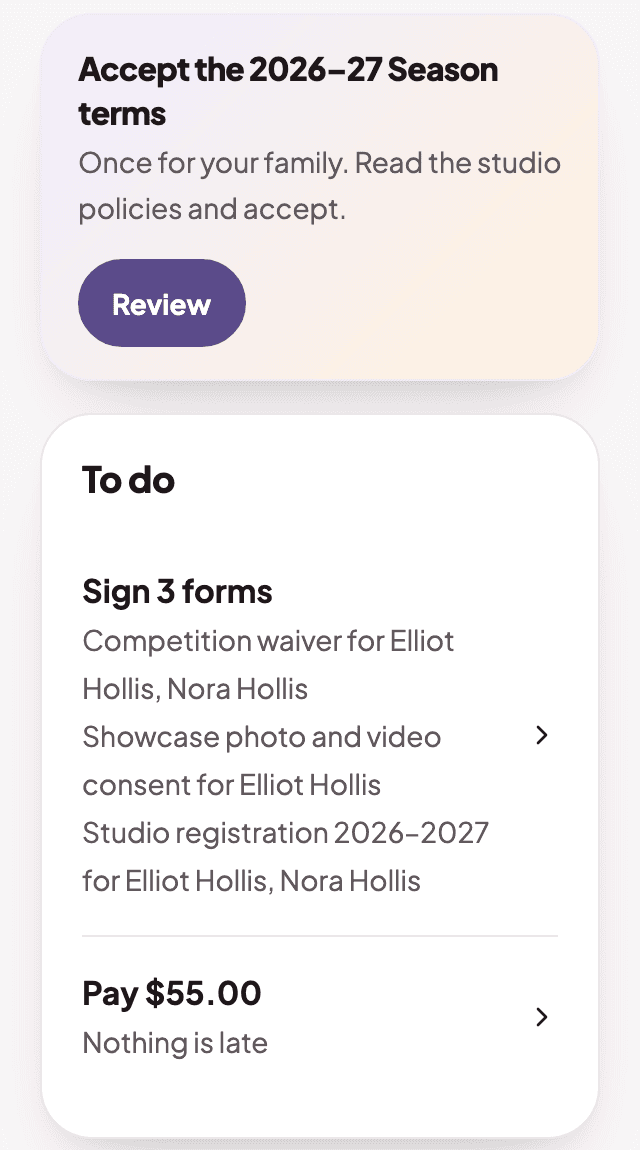
  3. The parent home screen on a phone

    Everything on one screen

    Terms, forms, what is due, the next class and announcements. No app to download.
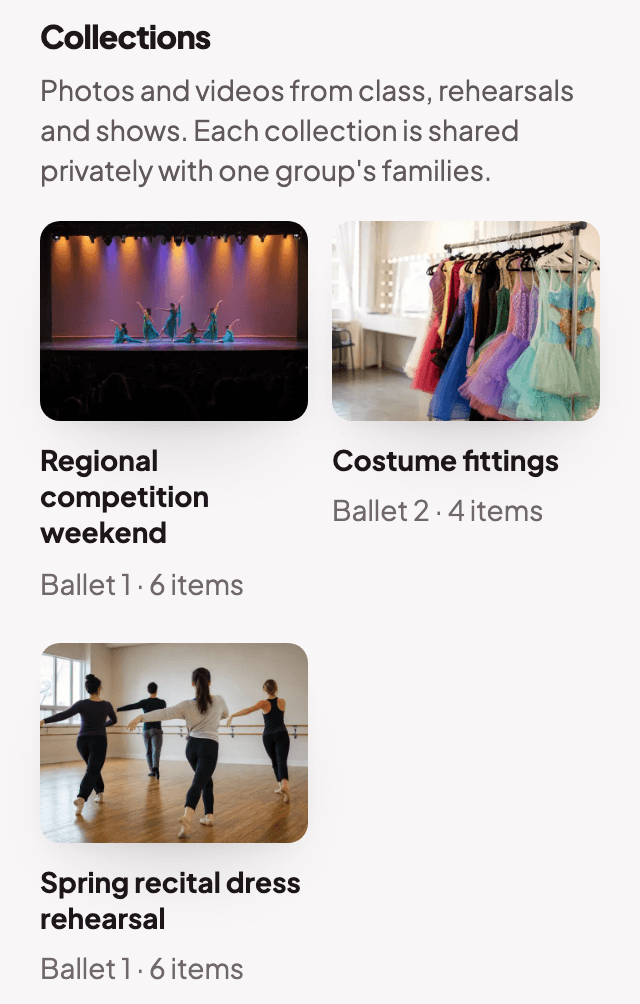
  4. The parent media page with collections of class photos

    Private class photos

    Share photos and videos with one group's families only.

The students page, with the students who need a follow-upThe students page, with the students who need a follow-up
A student profile with an emergency contact and care informationA student profile with an emergency contact and care information
The parent home screen on a phone
The parent media page with collections of class photos

Forms

Forms and waivers, signed and on record

Build a form, send it, and see who has signed.
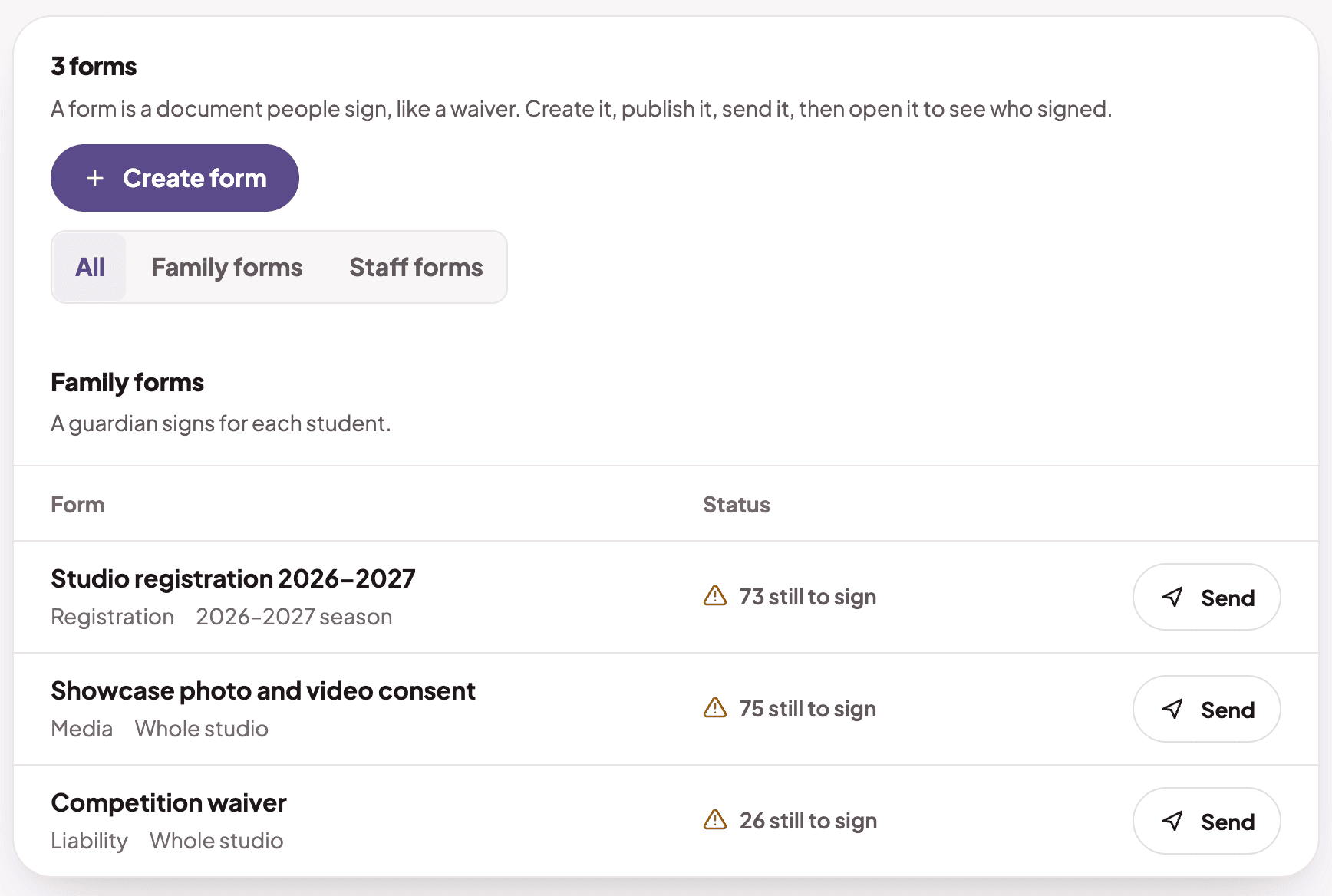
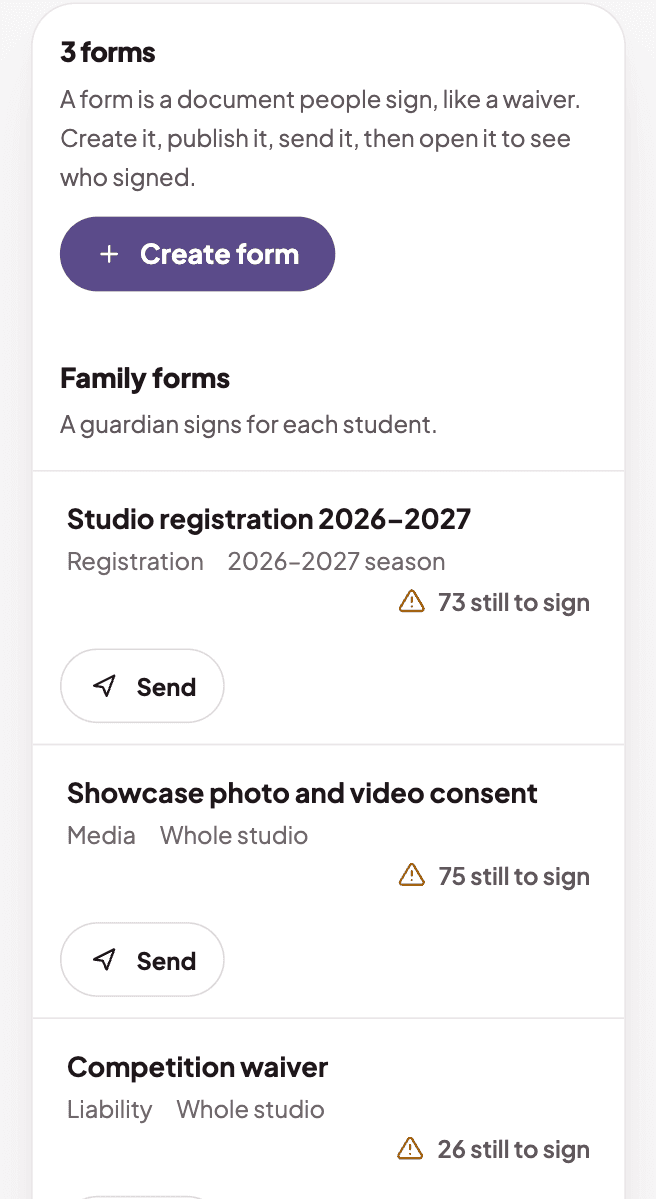
  1. The forms list and how many families still need to signThe forms list and how many families still need to sign

    Make the forms you need

    Family forms and staff forms for a season, a group or the whole studio.
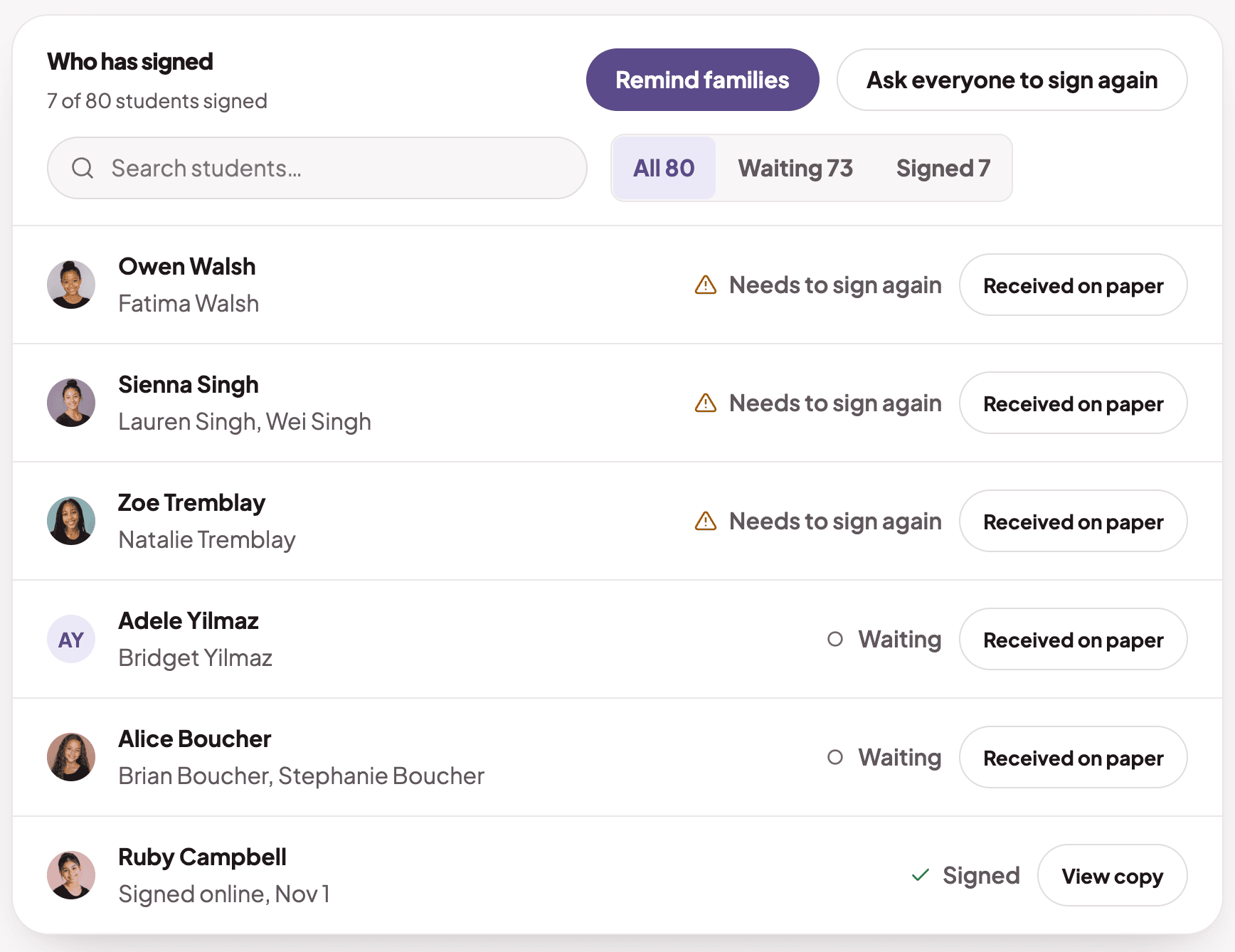
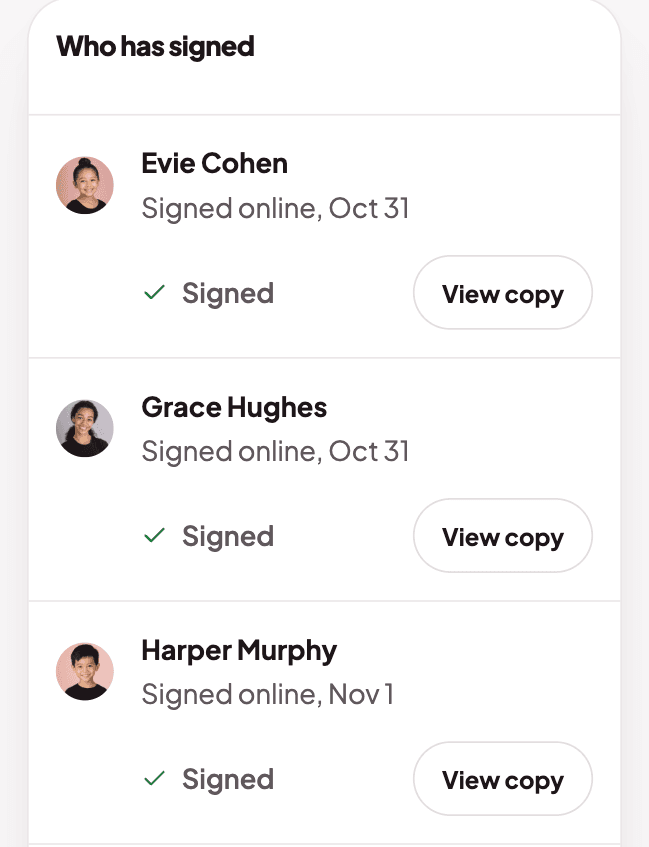
  2. A form showing which families have signed, and whenA form showing which families have signed, and when

    See who has signed

    Remind the families who are waiting. Every signature is kept with who signed and when.
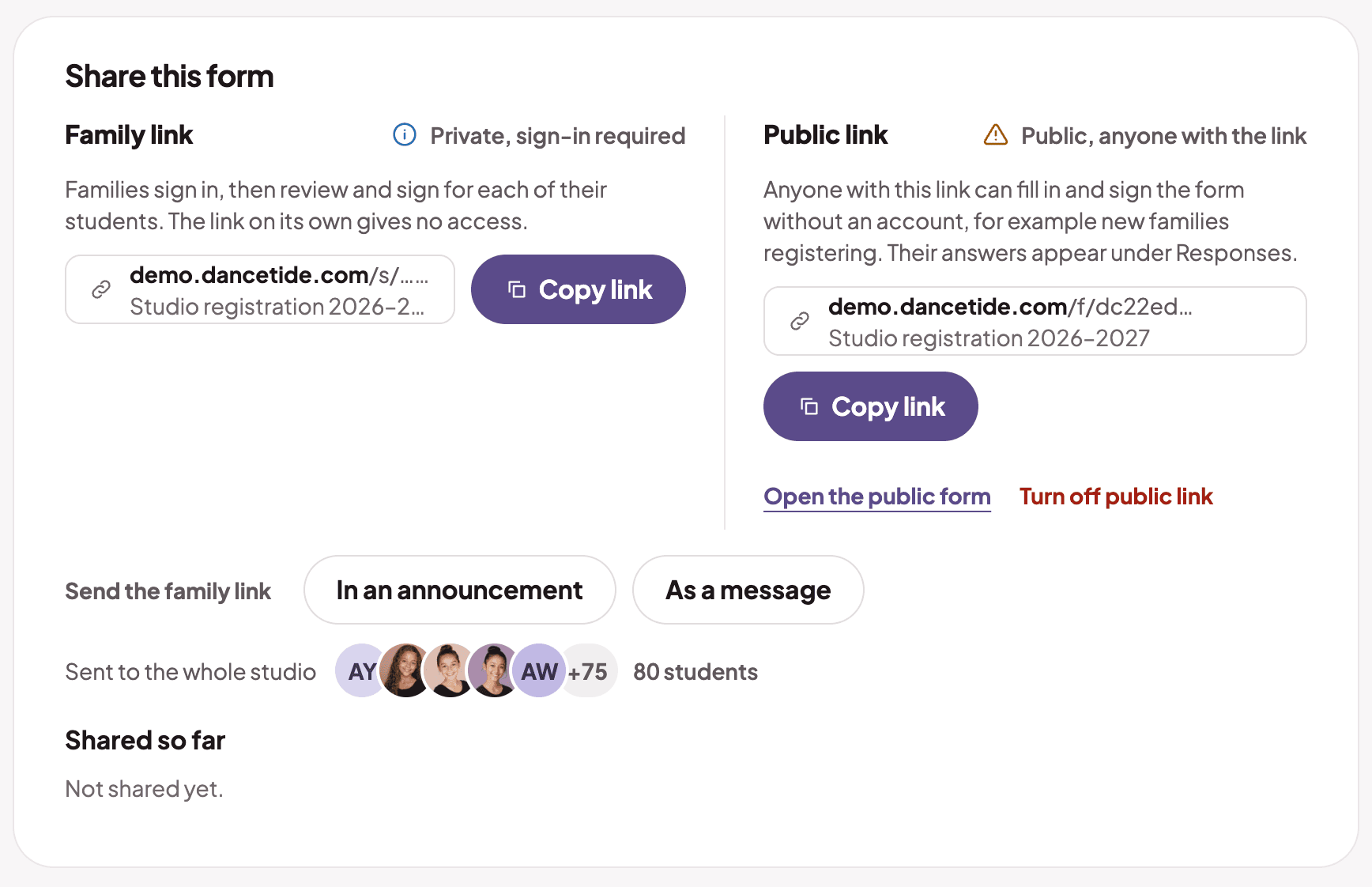
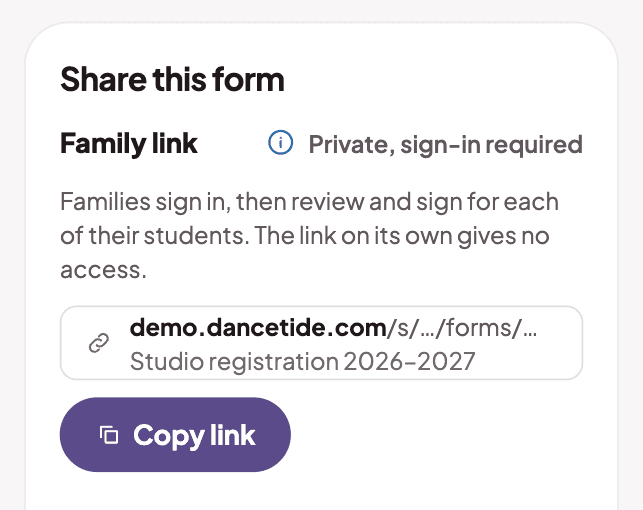
  3. The family link for a form, with a Copy link buttonThe family link for a form, with a Copy link button

    Send it your way

    Send a family link, or turn on a public link for new families.
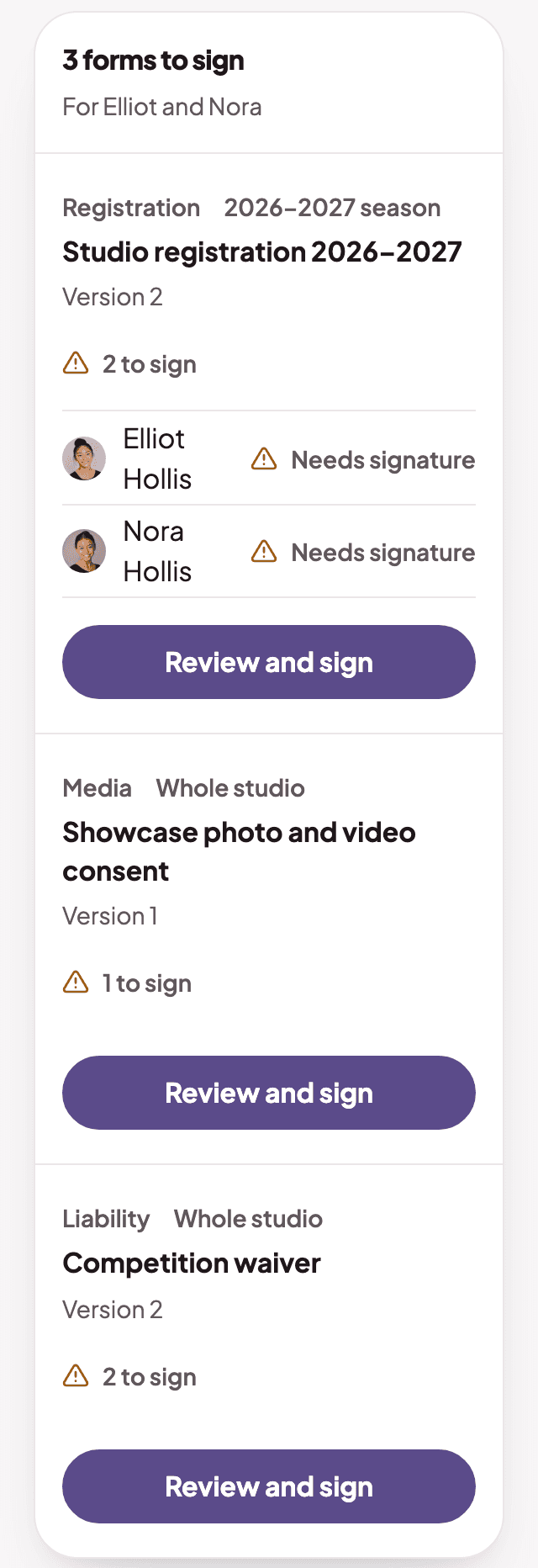
  4. The parent forms page on a phone

    Sign from a phone

    Parents read and sign each child's forms on their phone.

The forms list and how many families still need to signThe forms list and how many families still need to sign
A form showing which families have signed, and whenA form showing which families have signed, and when
The family link for a form, with a Copy link buttonThe family link for a form, with a Copy link button
The parent forms page on a phone

Lessons

Private lessons, without the back and forth

Families ask, teachers confirm, the studio approves.
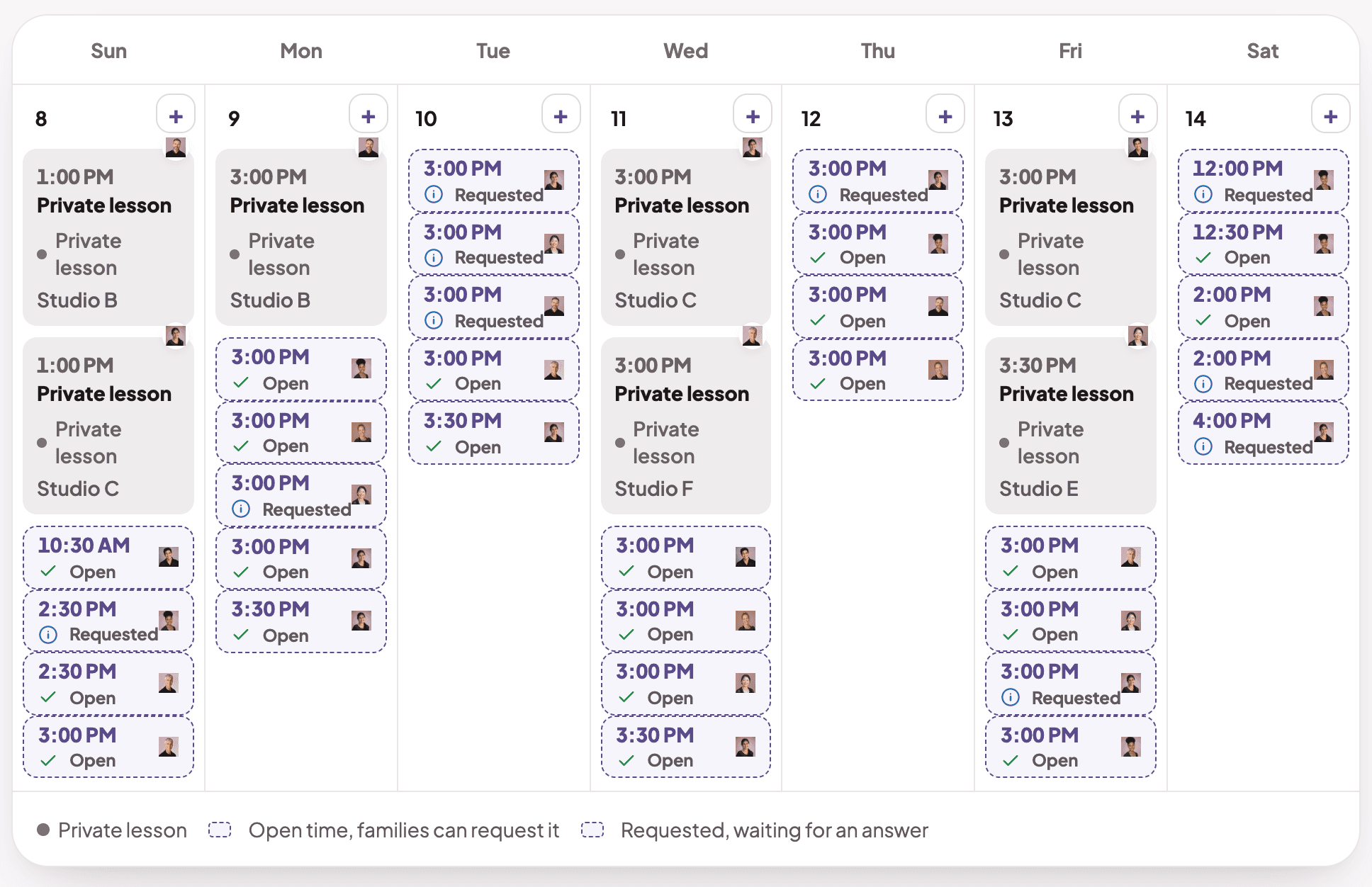
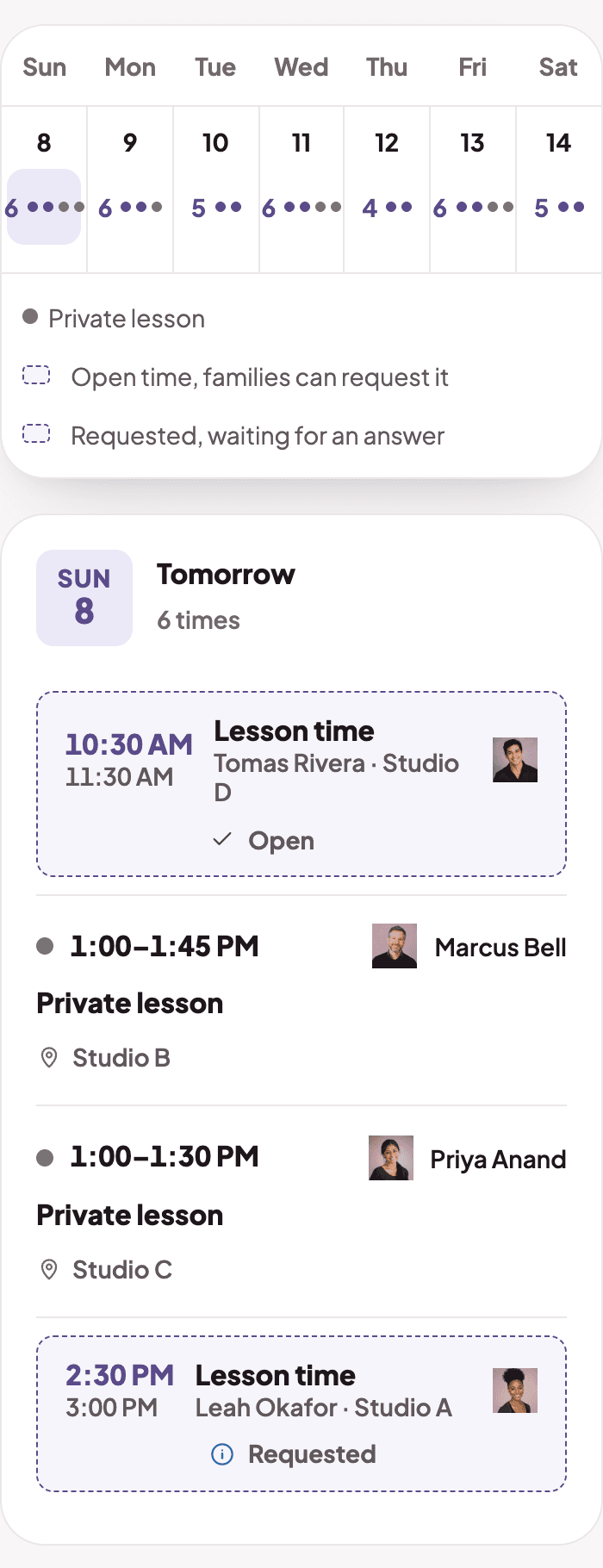
  1. The lesson times calendar with open timesThe lesson times calendar with open times

    Open up lesson times

    Add times for each teacher and room. Families book from the open ones.
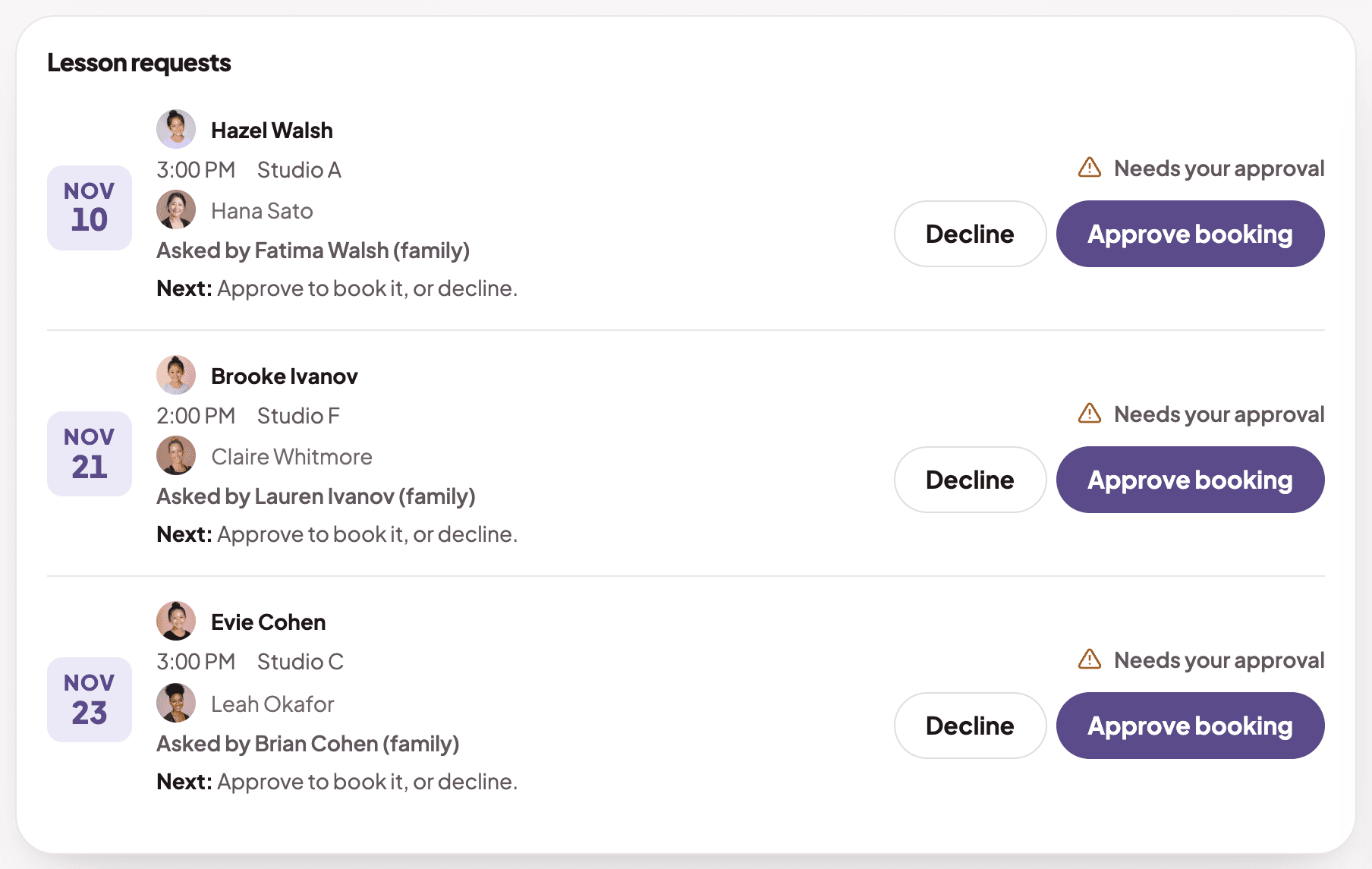
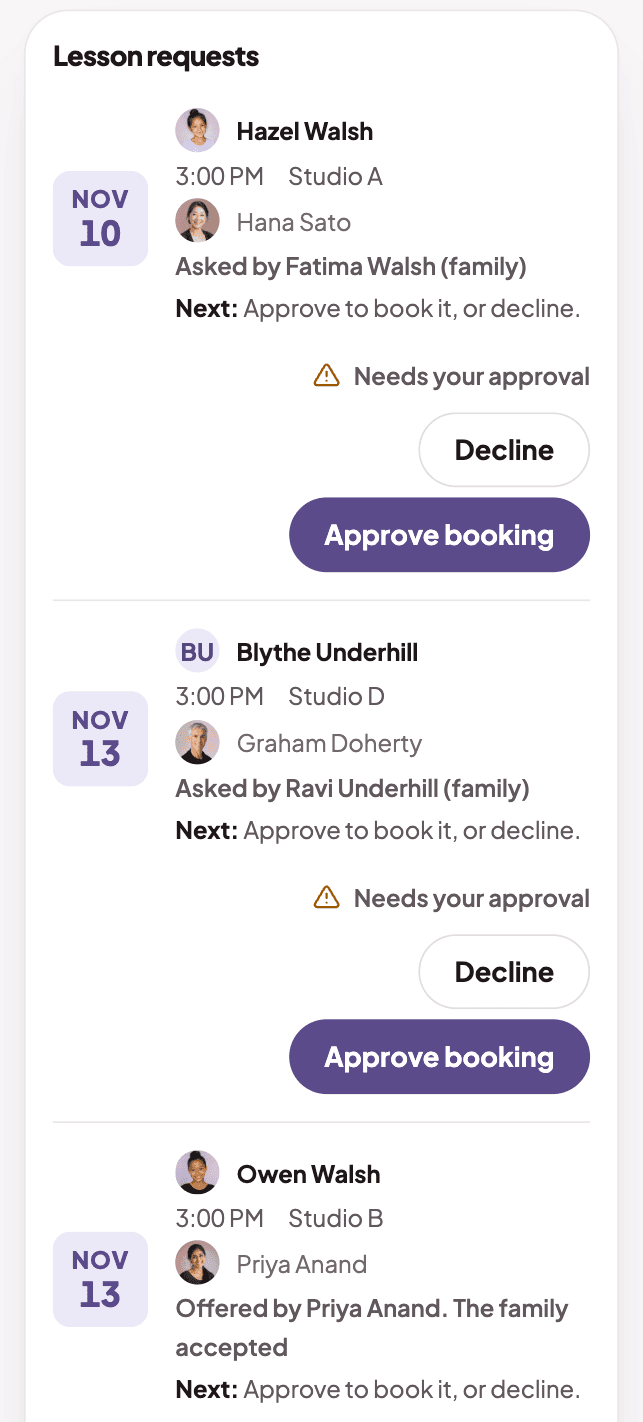
  2. The lesson requests listThe lesson requests list

    Approve in one place

    Requests and teacher offers wait in one list for you to approve.
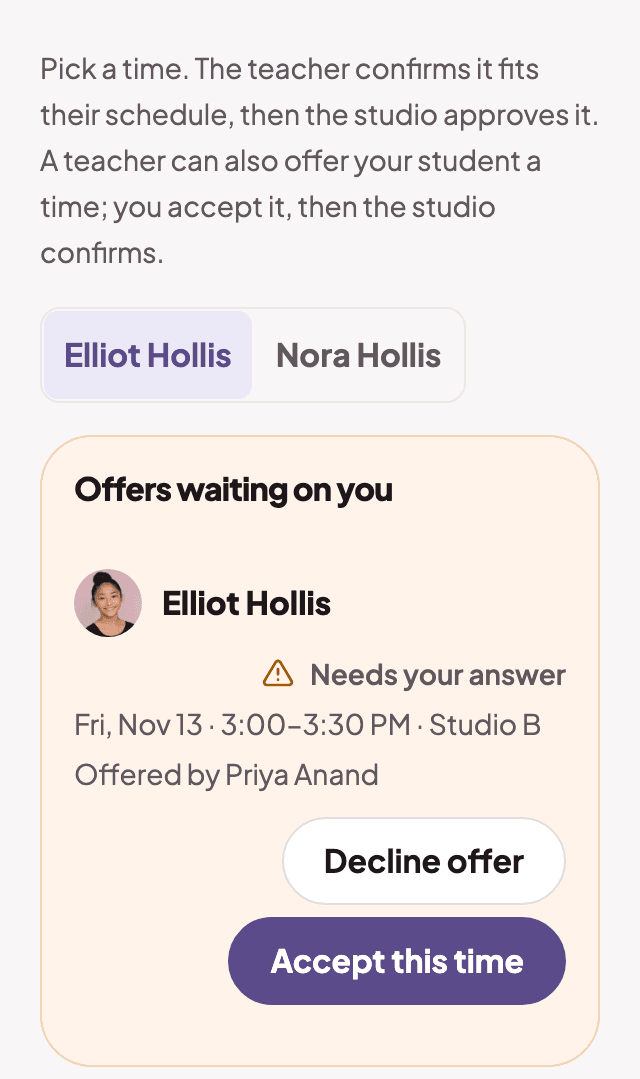
  3. The parent lessons page with an offer to accept

    Families pick a time

    A parent picks an open time, or accepts one a teacher offers.

The lesson times calendar with open timesThe lesson times calendar with open times
The lesson requests listThe lesson requests list
The parent lessons page with an offer to accept

Staff

Give each person the access they need

Invite your team and choose what each person can do.
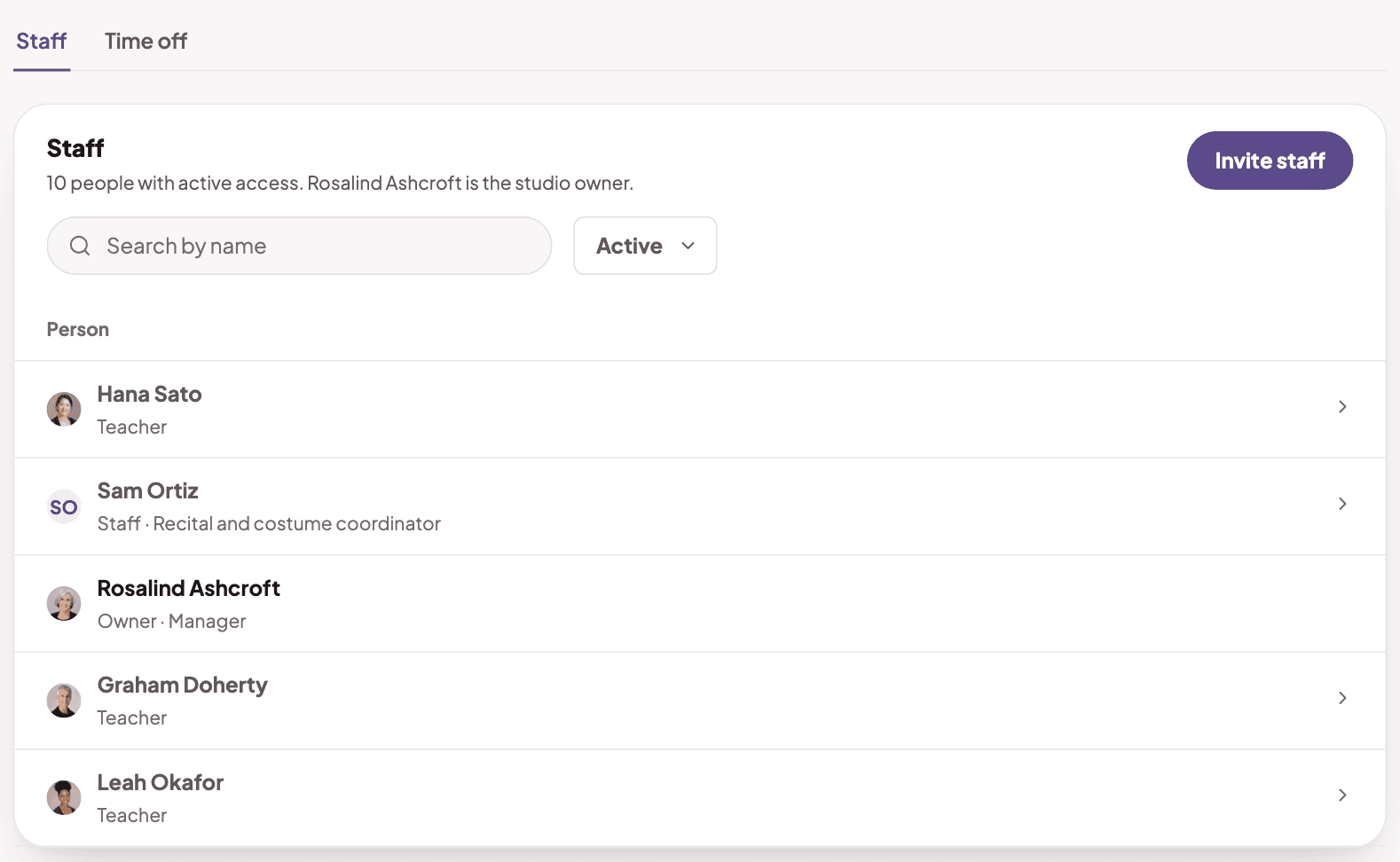
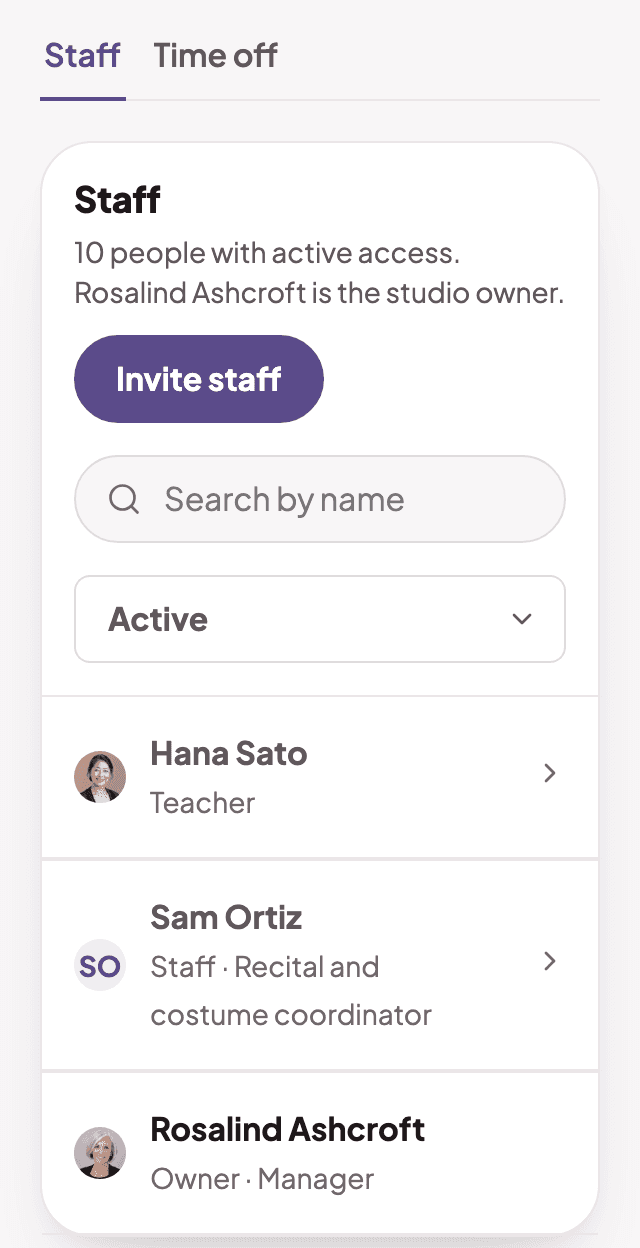
  1. The staff list with each person's roleThe staff list with each person's role

    Invite your team

    Teachers, front desk and coordinators sign in on their own.
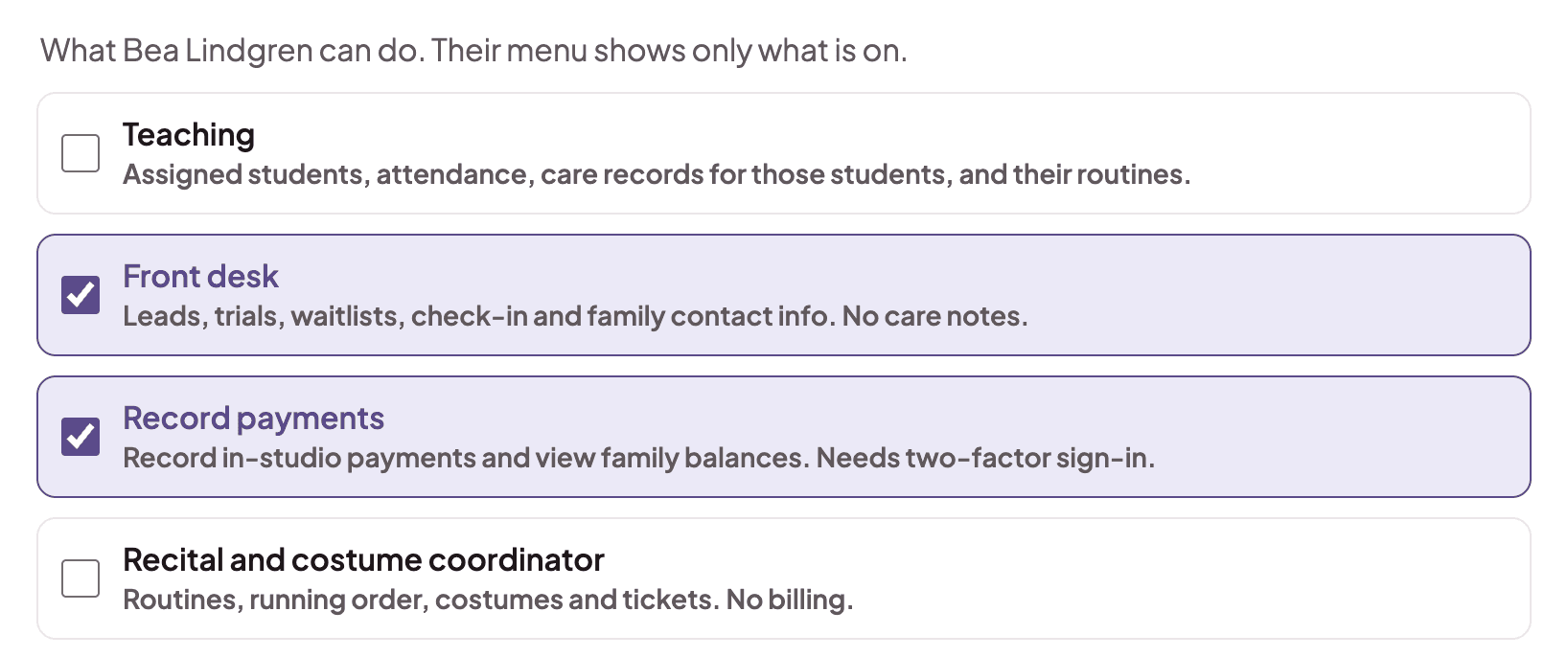
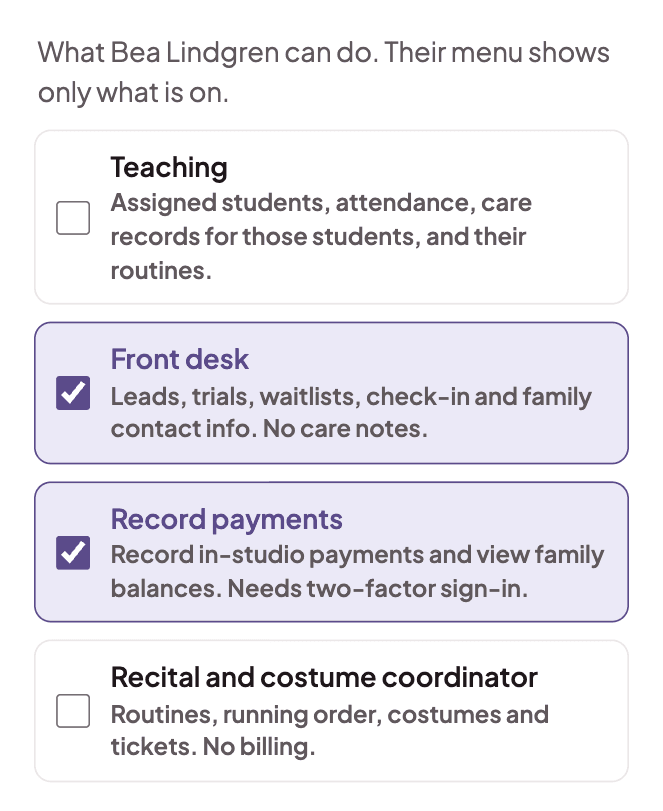
  2. The access choices for a staff memberThe access choices for a staff member

    Turn on only what each person needs

    Their menu shows only their parts. Payments are protected with an extra sign-in step.
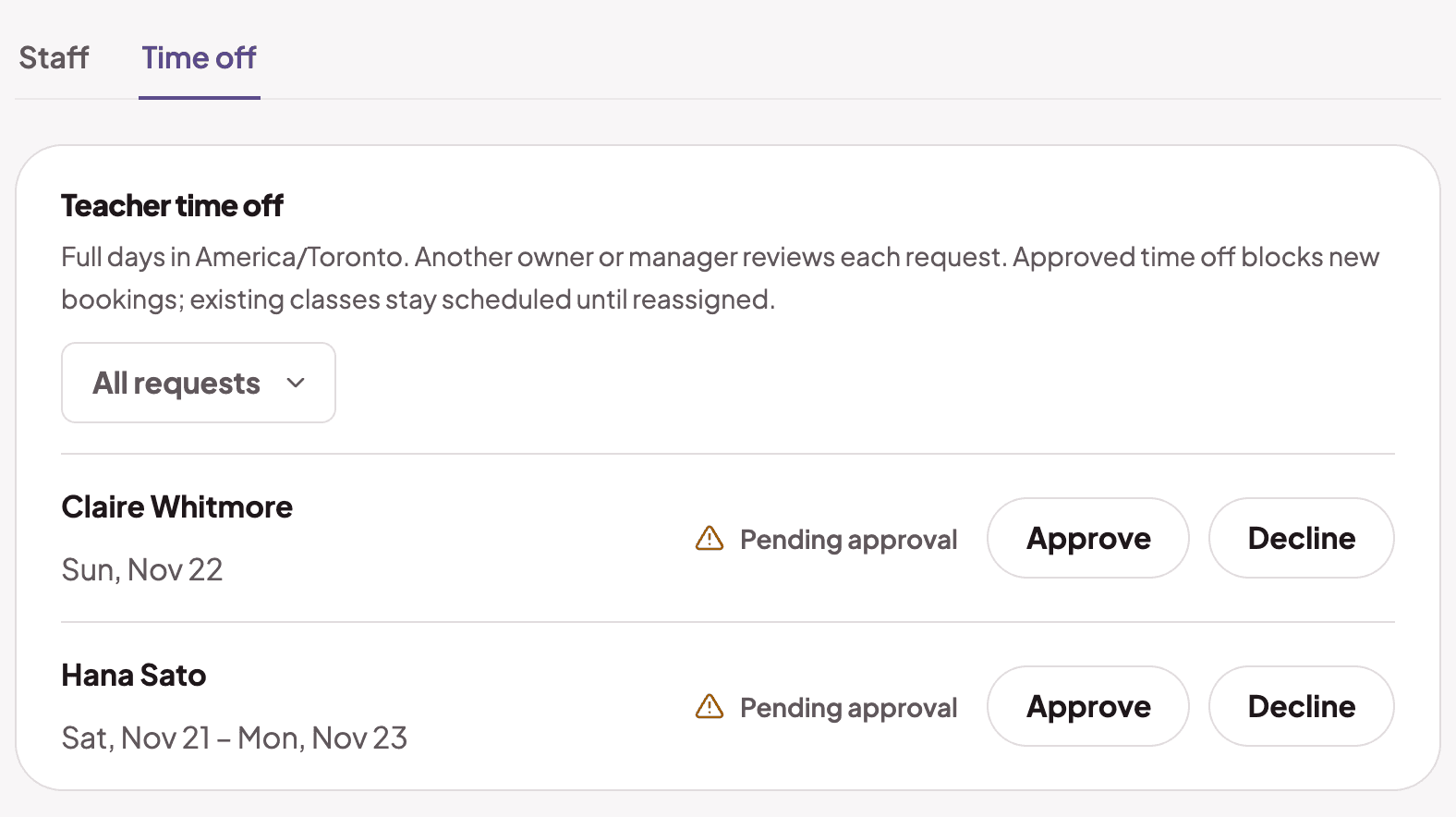
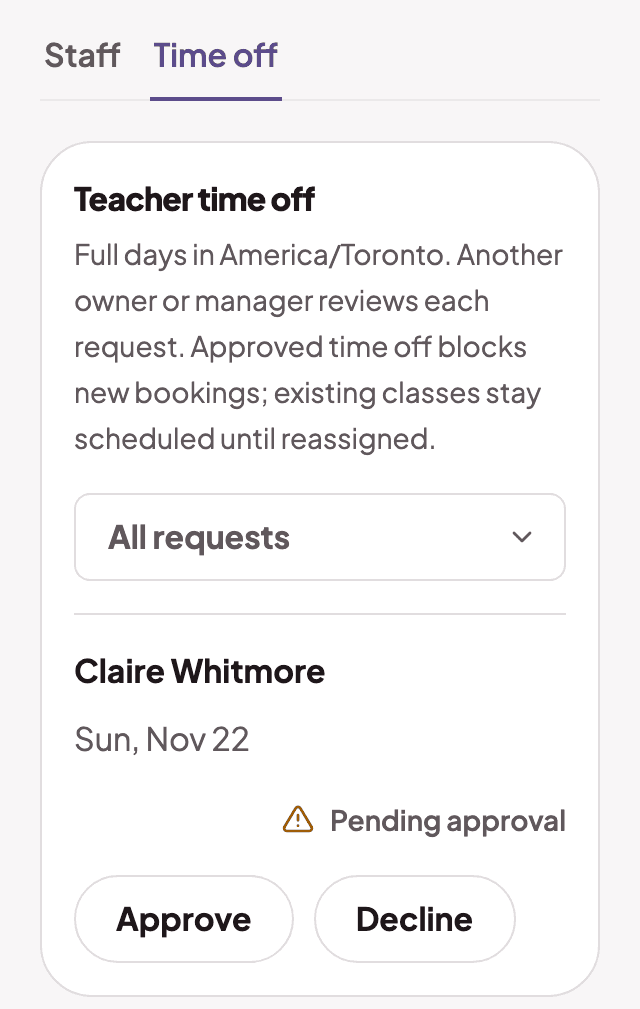
  3. The time off requestsThe time off requests

    Time off and expenses

    A manager approves time off. Staff send in their own expenses.

The staff list with each person's roleThe staff list with each person's role
The access choices for a staff memberThe access choices for a staff member
The time off requestsThe time off requests

Recitals

Plan the whole show in one place

Dates, routines, the line up and tickets.
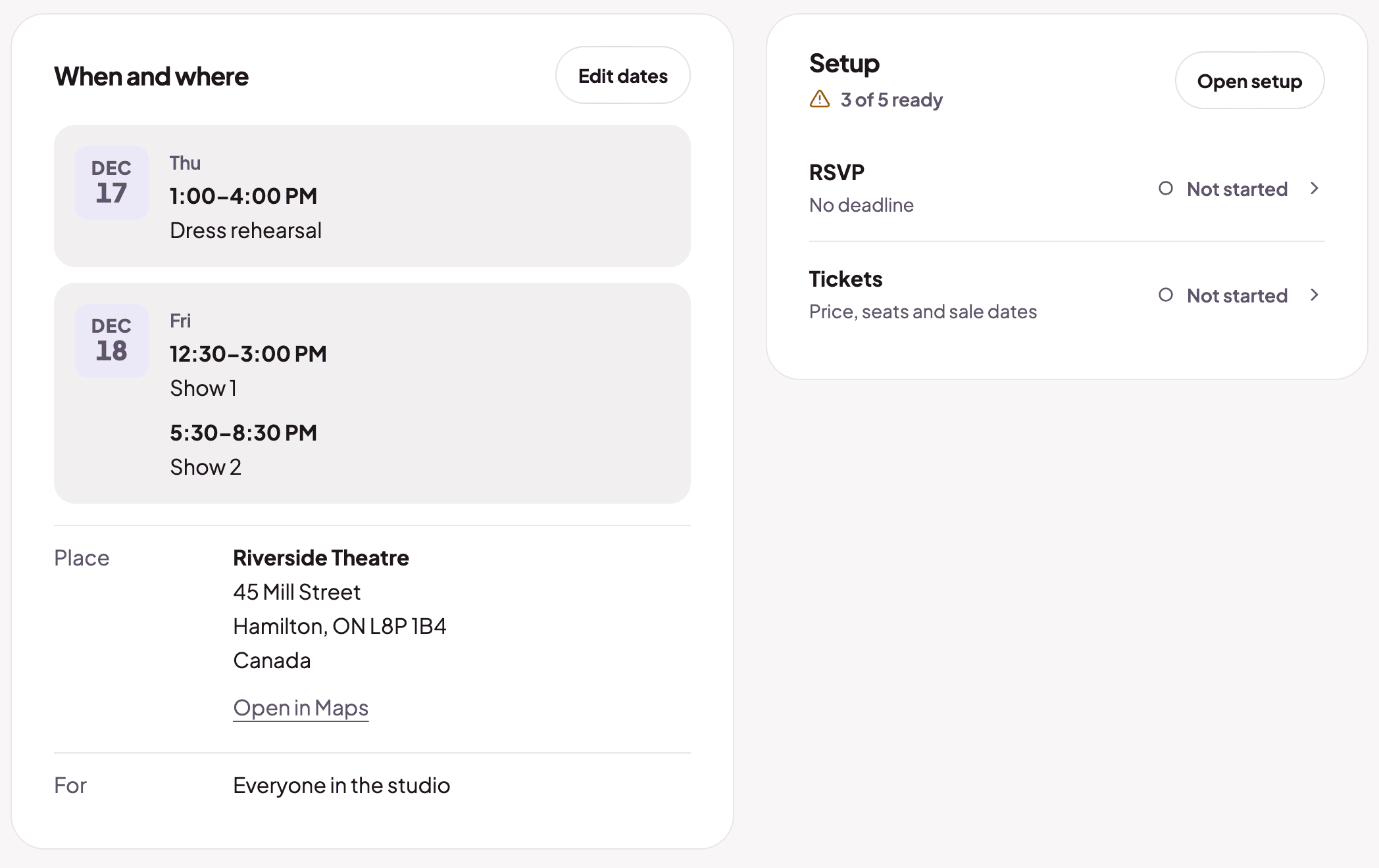
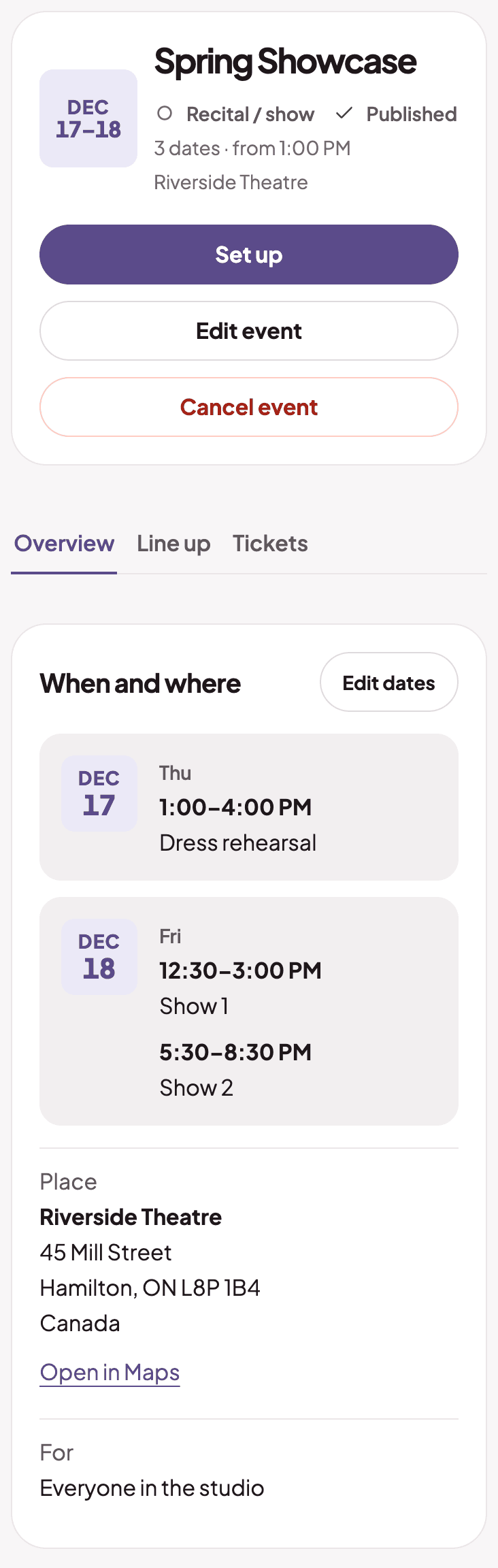
  1. A recital event page with dates and a setup cardA recital event page with dates and a setup card

    Set up the show

    Dates, venue and who it is for. See what is ready and what is not.
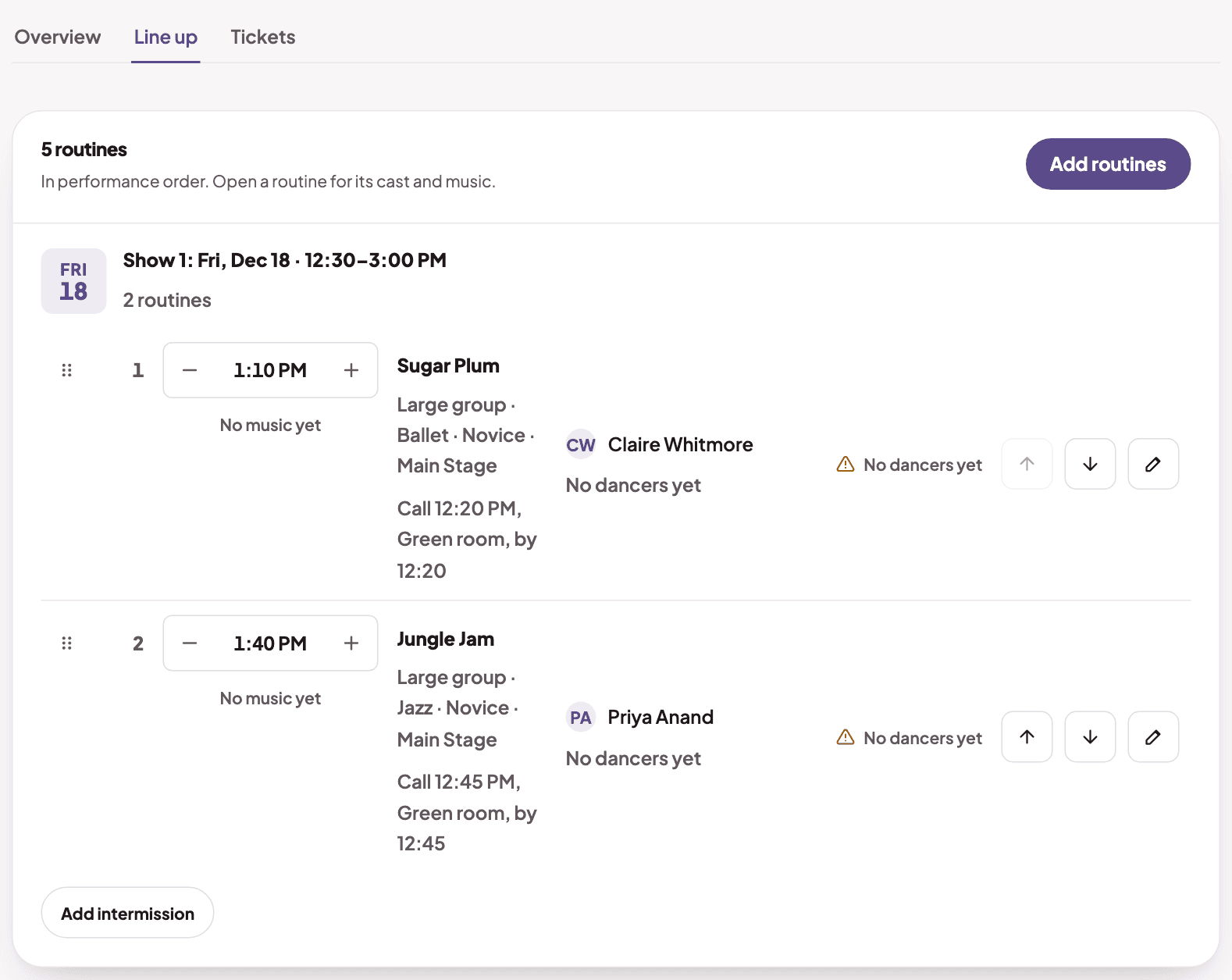
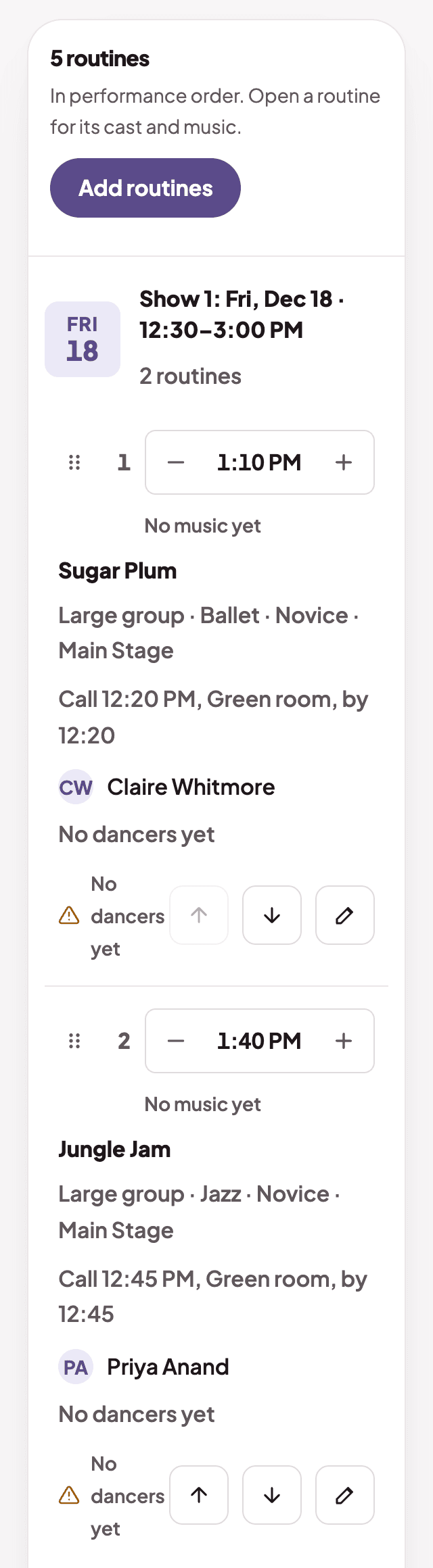
  2. The line up with routines in performance orderThe line up with routines in performance order

    Build the line up

    Routines in order, with call times and quick-change warnings.
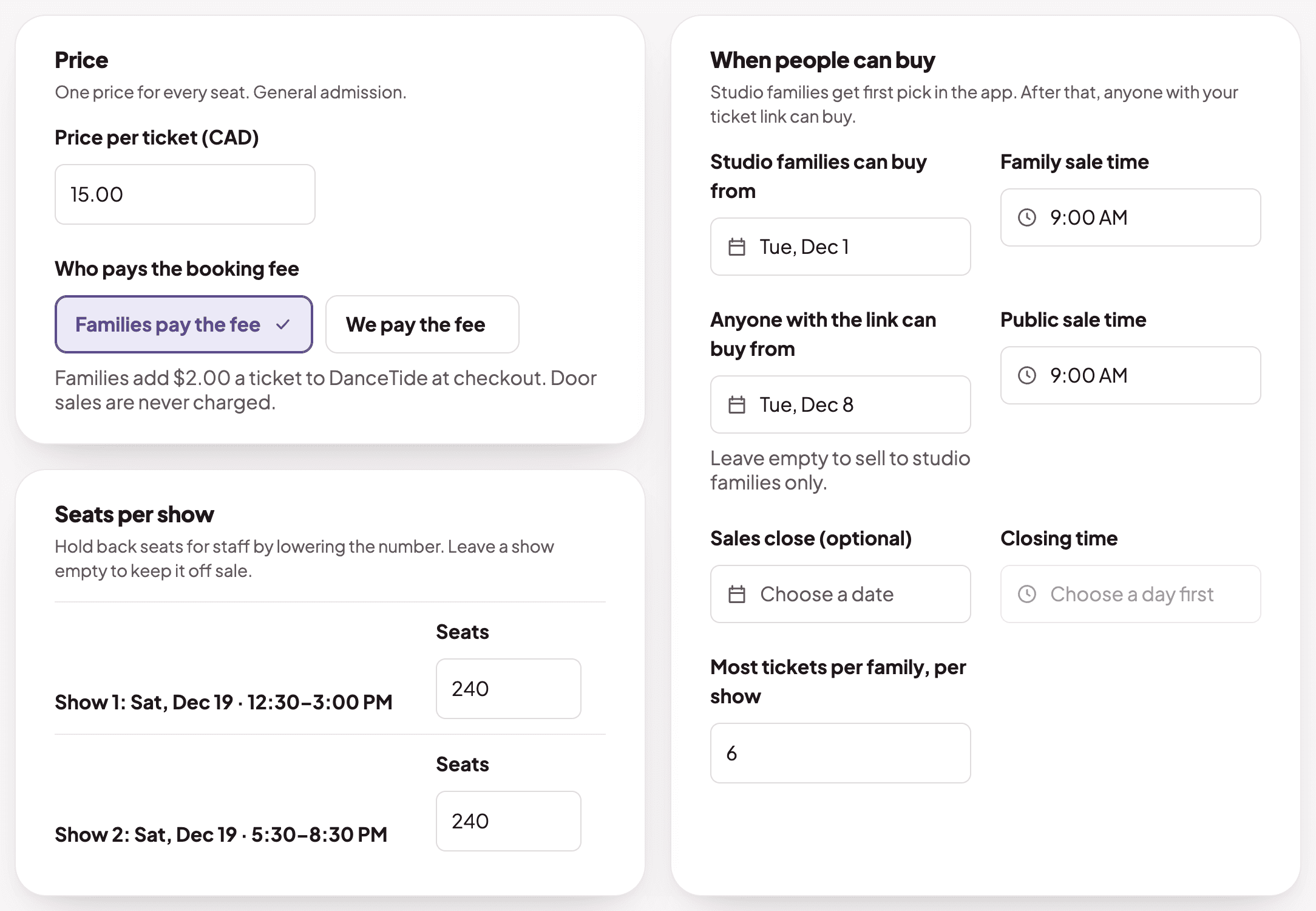
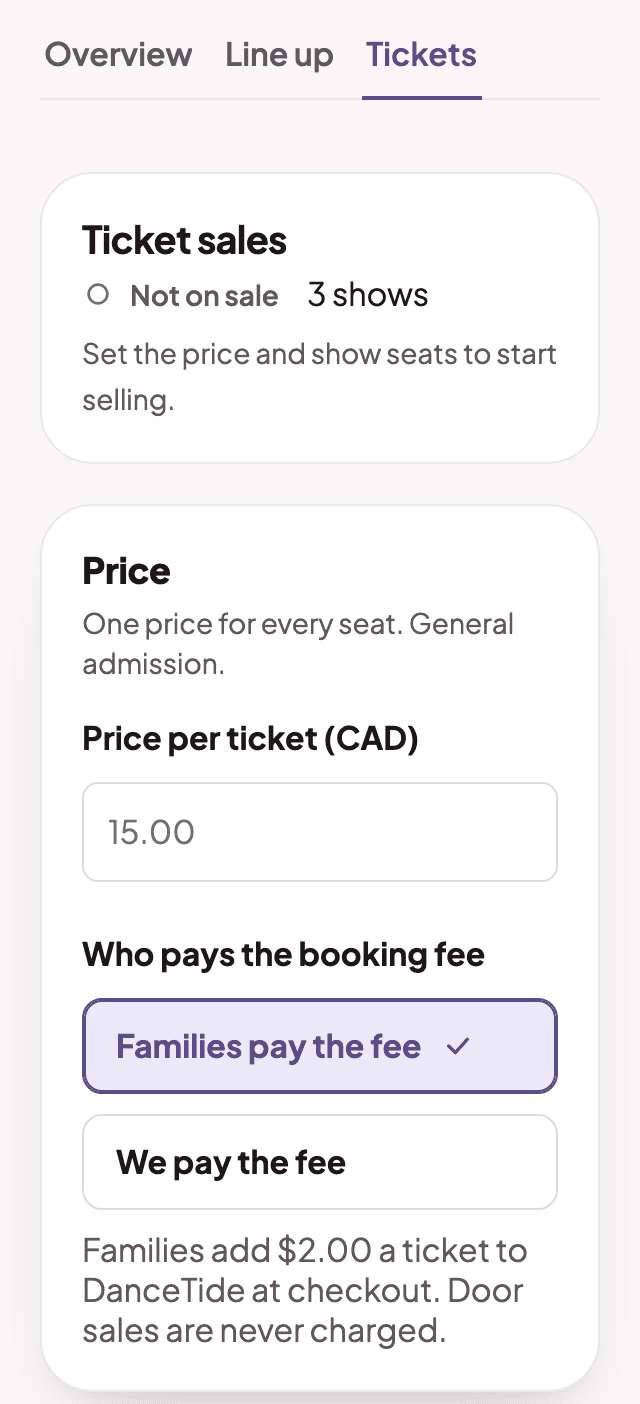
  3. Ticket sales settings, with the ticket price and when families and the public can buyTicket sales settings, with the ticket price and when families and the public can buy

    Sell tickets

    One price and the seats for each show. Studio families buy first.
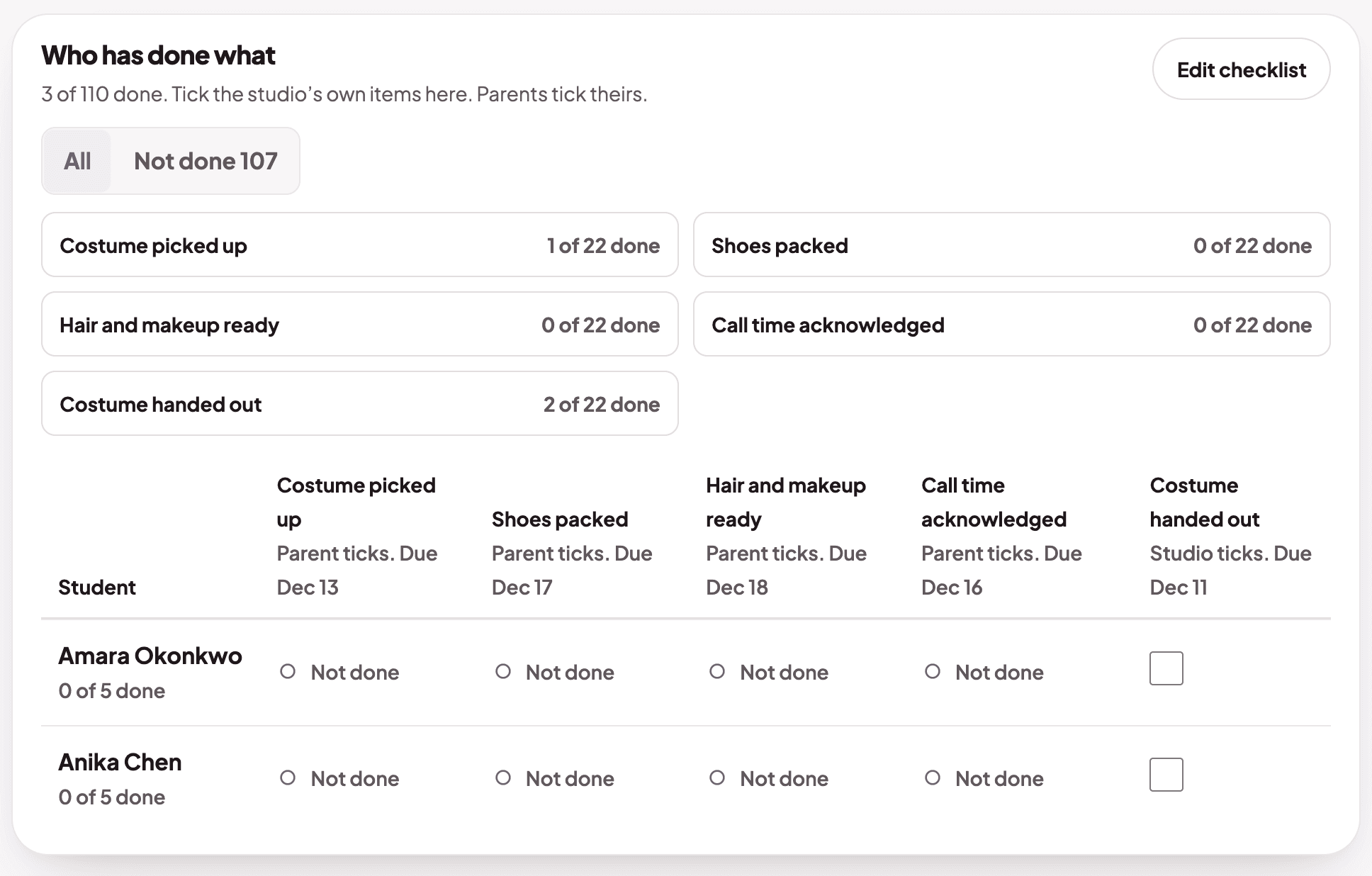
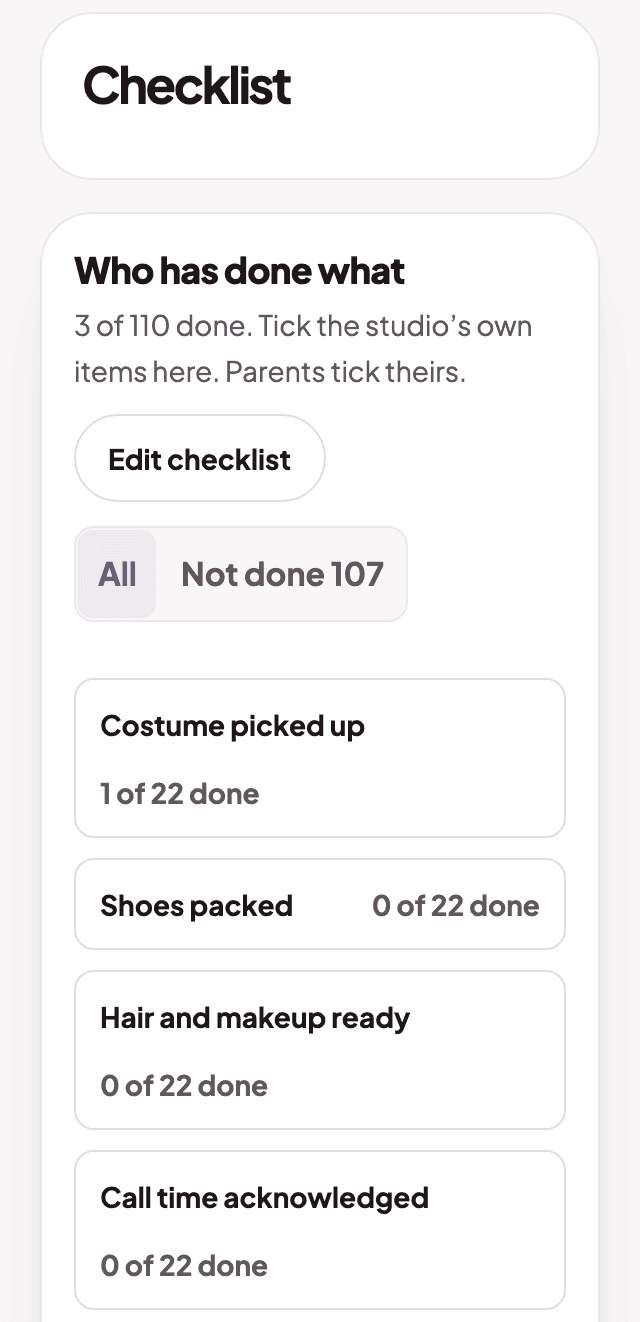
  4. The event checklist for each dancerThe event checklist for each dancer

    Know who has done what

    Costumes, shoes and call time for every dancer. Parents tick their own.

A recital event page with dates and a setup cardA recital event page with dates and a setup card
The line up with routines in performance orderThe line up with routines in performance order
Ticket sales settings, with the ticket price and when families and the public can buyTicket sales settings, with the ticket price and when families and the public can buy
The event checklist for each dancerThe event checklist for each dancer

Tuition

Set your prices once, bill every family right

Prices, charges you check first, and who owes what.
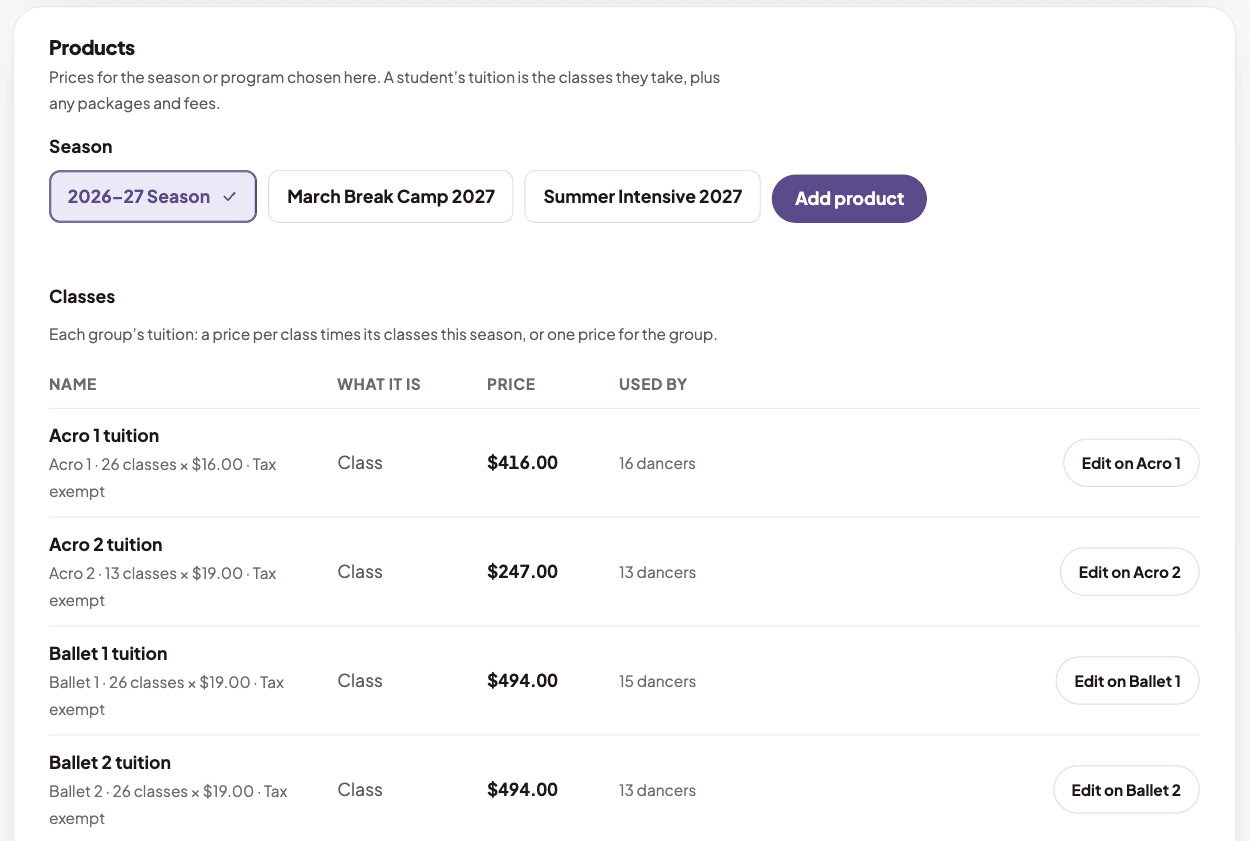
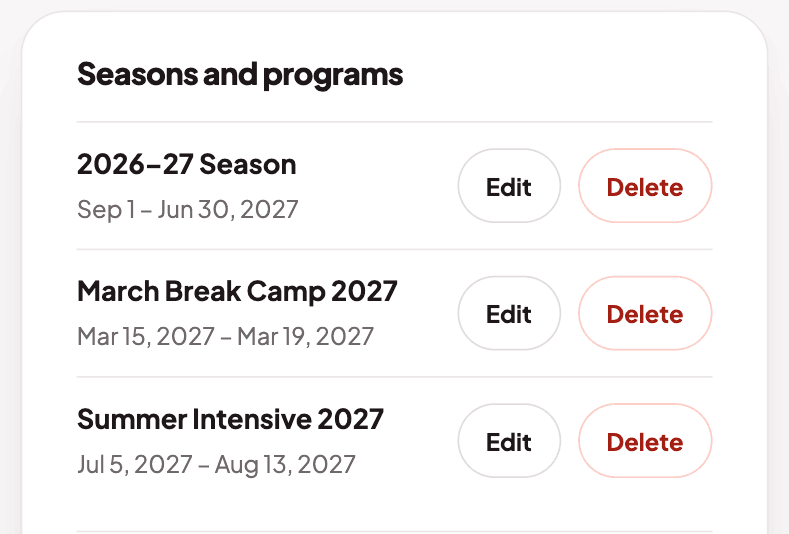
  1. The prices and fees page, with the seasons and programs you charge forThe prices and fees page, with the seasons and programs you charge for

    Set your prices once

    Seasons, programs, tuition and fees in one place.
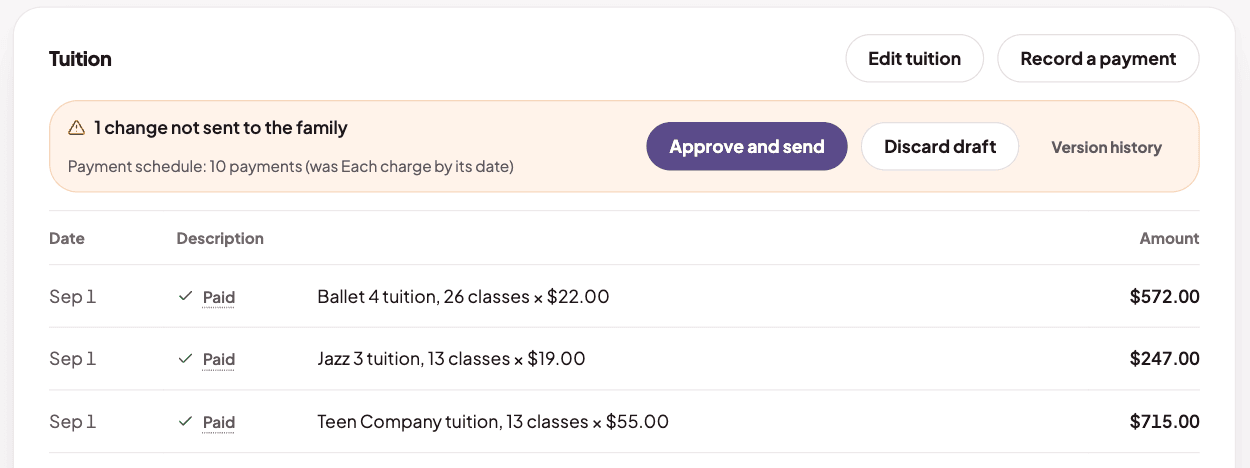
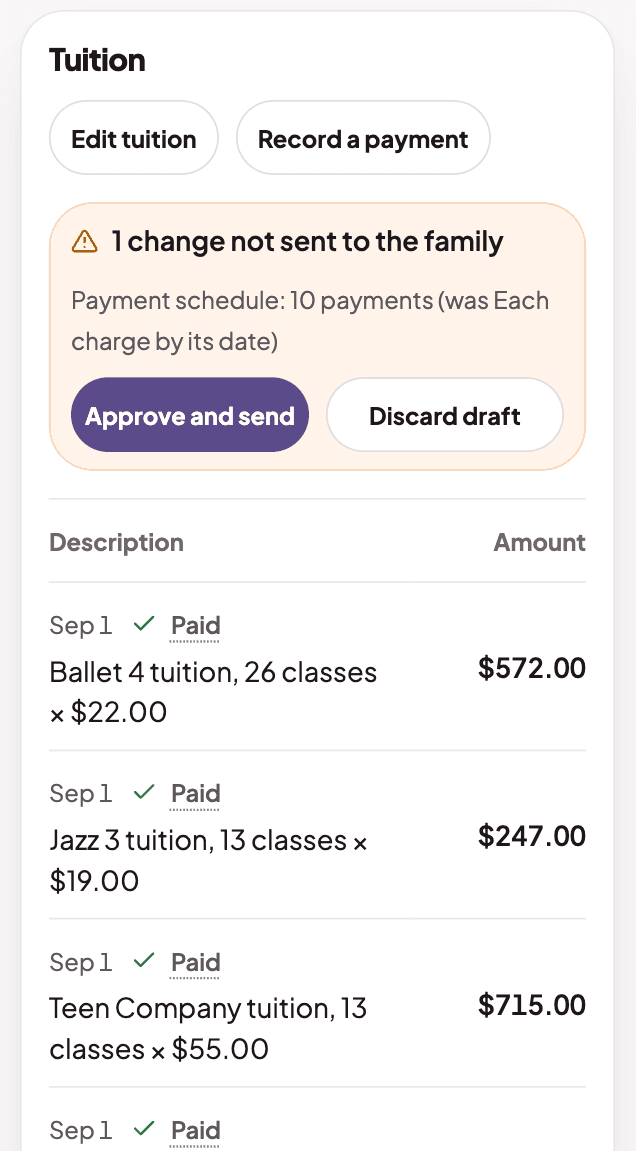
  2. A student's tuition with a change waiting to be approved and sent to the familyA student's tuition with a change waiting to be approved and sent to the family

    Check charges before families see them

    Drafts stay with staff until a manager approves them.
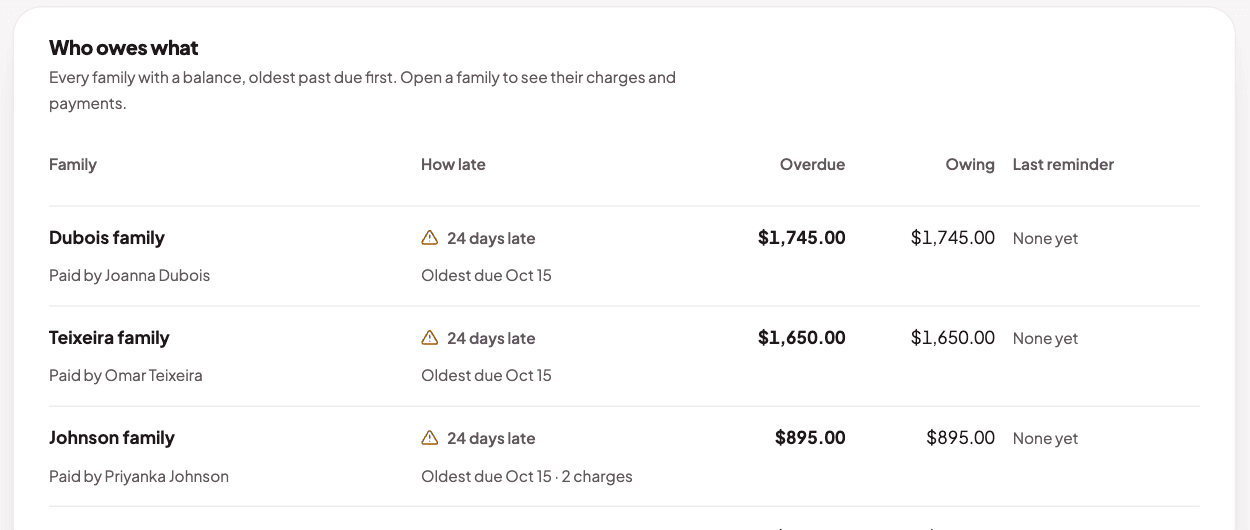
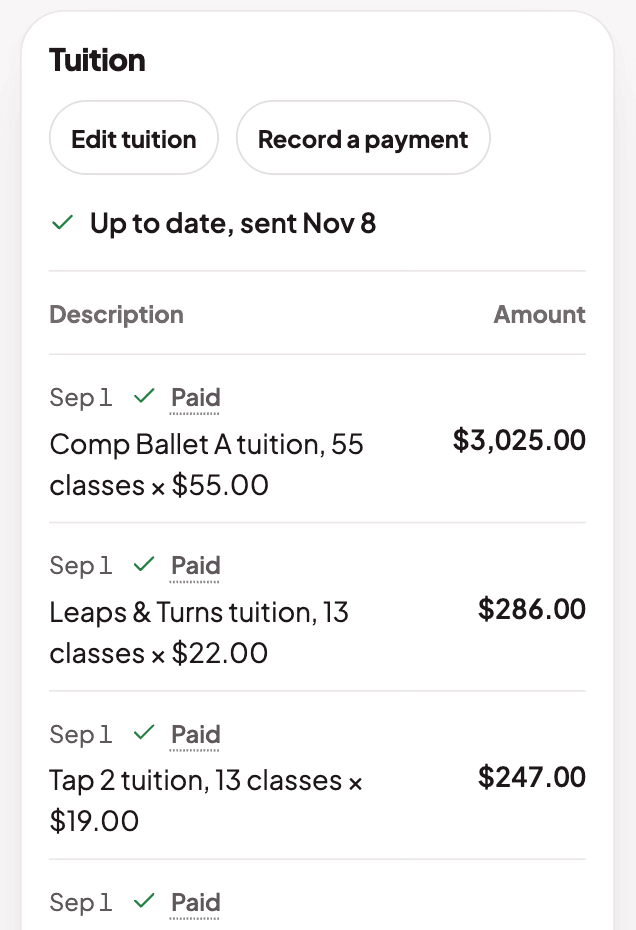
  3. Family balances, with who owes what and each family's charges and paymentsFamily balances, with who owes what and each family's charges and payments

    See who owes what

    Every family with a balance, oldest first. Record payments you take in the studio.

The prices and fees page, with the seasons and programs you charge forThe prices and fees page, with the seasons and programs you charge for
A student's tuition with a change waiting to be approved and sent to the familyA student's tuition with a change waiting to be approved and sent to the family
Family balances, with who owes what and each family's charges and paymentsFamily balances, with who owes what and each family's charges and payments

Messaging

Reach every family, and hear back

Announcements and two-way messages.
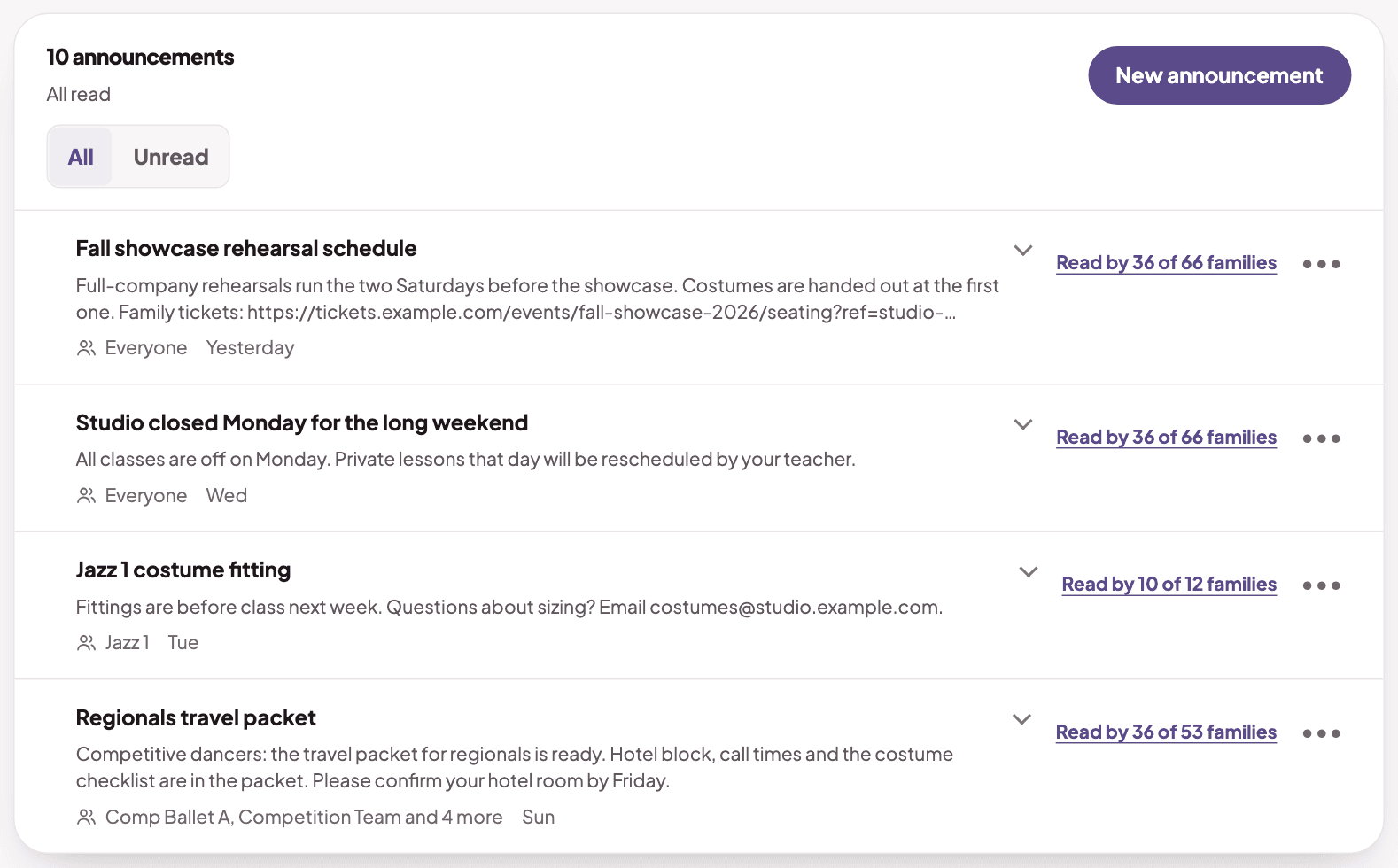
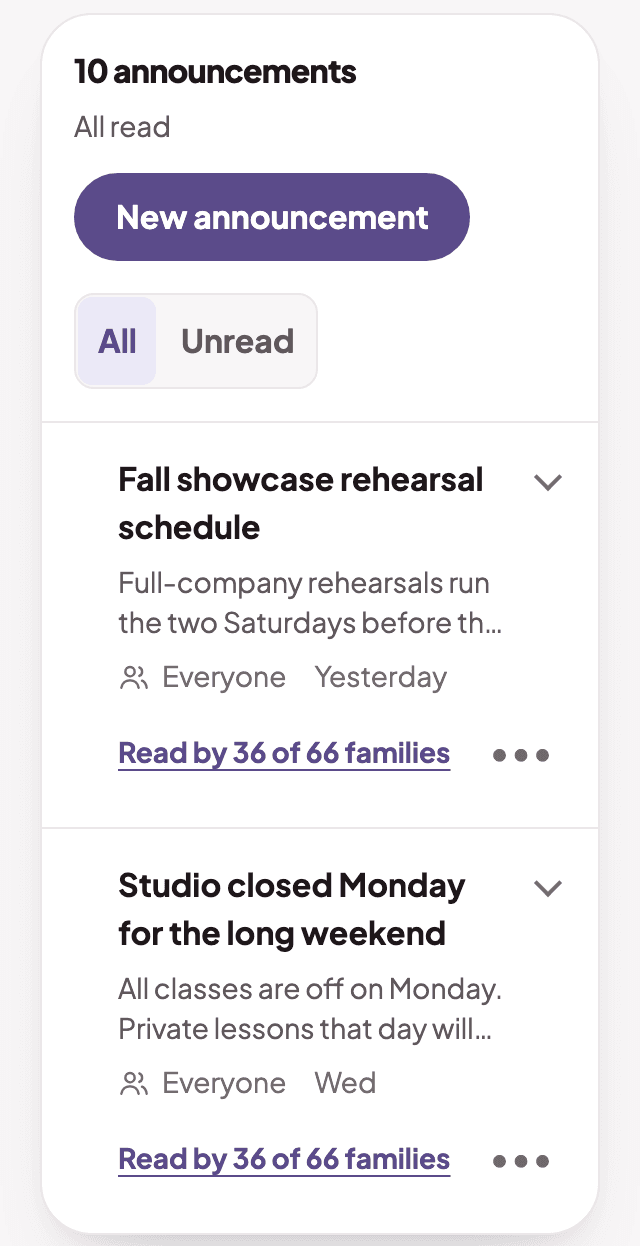
  1. Announcements with the audience and read countsAnnouncements with the audience and read counts

    Tell the right families

    The whole studio, a group or a few classes. See who has read it.
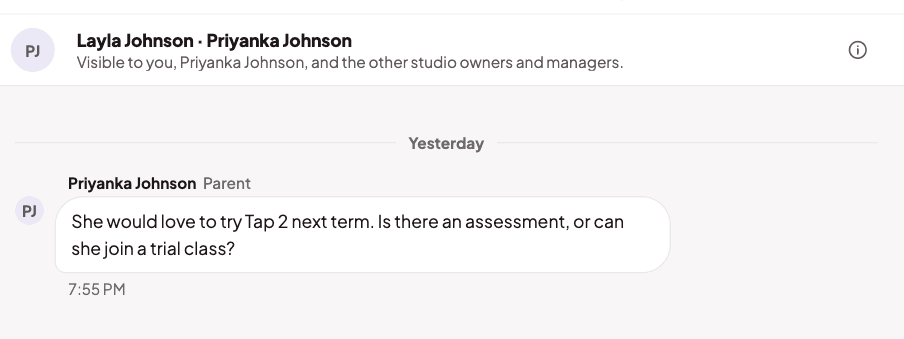
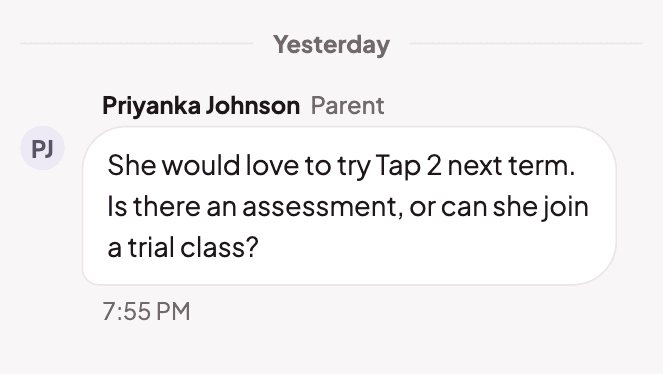
  2. A message thread with a parentA message thread with a parent

    Keep every reply in one place

    Families message the studio and every reply stays in one thread.

Announcements with the audience and read countsAnnouncements with the audience and read counts
A message thread with a parentA message thread with a parent

See how DanceTide could help your studio.

Free help importing your existing student information.

Try the demo

Missing a feature? Let’s talk about it.

Tell me what your studio needs.